1
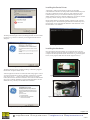
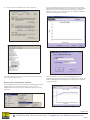
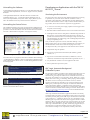
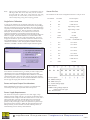
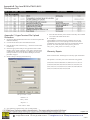
The iterated communications port balloon shown in Figure 10 above may or may not be displayed. However, it is important to find out to which serial port the USB driver has iterated. If you are unsure which COM port is associated with the USB port, you can find that information in the Hardware tab in the Systems Properties dialog. 1. From the Start Menu, select the Control Panel, and from there select the System icon (Figure 12 below). Figure 7: T6613/6615 Hardware Setup On Windows XP systems, “New Hardware Found” balloons will appear on the screen (Figures 8, 9, 10 and 11 below). Figure 12: Start Menu – Control Panel 2. Select the System Properties icon (Figure 13 below). Figure 8: New Hardware Found – USB Serial Converter Figure 9: New Hardware Found -- USB Serial Port Figure 13: Control Panel – System Properties Icon 3. From the System Properties box (Figure 14 below), select the Hardware tab. Figure 10: New Hardware Found – Iterated Serial Port Figure 11: New Hardware Found — Ready to Use Figure 14: System Properties Window Page 3 of 9 Willow Technologies Ltd. Unit 3 Borers Yard, Borers Arms Road, Copthorne, West Sussex, RH10 3LH, United Kingdom. + 44 (0) 1342 717102 + 44 (0) 1342 717014 info@willow.co.uk http://www.willow.co.uk W362013