1
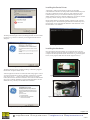
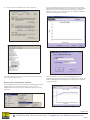
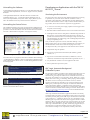
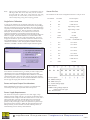
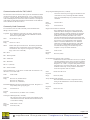
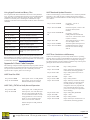
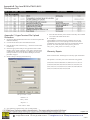
Installing the Device Drivers A third party vendor supplies the device drivers for the USB communications software. The Setup Wizard should automatically load their driver installation software. However, if the software has to be loaded manually, then you can find that installation program in the default installation directory under the subdirectory VCP Driver. Run the program by double-clicking on the icon CDM 2.04.06.exe. During either manual or automatic loading, a DOS box will open and display the process. Note that during the automatic installation process, the document viewer might hide this DOS box if the check box “View Documentation” was checked. Figure 1: Removable Media Dialog The Setup Wizard (Figure 2 below) should appear after several seconds. If it does not, go to the root directory on the supplied media and run setup.exe. Figure 4: Device Driver DOS Installation Installing the Hardware Once the software has been loaded, you can plug the device into any available USB port and run the application software. First, plug the 4-pin receptacle into the 4-pin header on the T6613/6615 CO2 sensor (Figure 5 below). Next, plug the USB cable into the PC (Figure 6 below). Figure 2: Setup Wizard Window The Setup Wizard presents a number of dialogs. GE Sensing suggests that the user accept the default values. After the application software is loaded, the final dialog appears. Unless you want to load the device drivers manually, check the box “Load the VCP device drivers…” In the event the device drivers are already loaded, this checkbox should be unchecked. The software loads both the device driver manual installation program and documentation into the default directory, and they are available after installation. Figure 5: T6613/6615 CO2 Sensor with 4 Pin Header Figure 6: T6613/6615 CO 2 Sensor Connected to USB Cable Figure 3: Completing th e Software Installation Page 2 of 9 Willow Technologies Ltd. Unit 3 Borers Yard, Borers Arms Road, Copthorne, West Sussex, RH10 3LH, United Kingdom. + 44 (0) 1342 717102 + 44 (0) 1342 717014 info@willow.co.uk http://www.willow.co.uk W362013