1
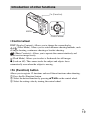
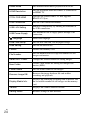
Smile/Face Detect.
Soft Skin Effect
Selects to detect faces and adjust various settings
automatically. Sets to automatically release the
shutter when a smile is detected.
Sets the Soft Skin Effect and the effect level.
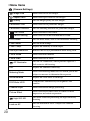
Auto Obj.
Framing
Analyzes the scene when capturing faces, close-ups,
or subjects tracked by the Lock-on AF function, and
automatically trims and saves another copy of the
image with a more impressive composition.
Scene Selection
Selects pre-set settings to match various scene
conditions.
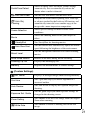
Movie
Selects the shooting mode to suit your subject or
effect.
SteadyShot
Sets SteadyShot for shooting movies.
Auto Slow Shut.
Sets the function that automatically adjusts the shutter
speed following the brightness of the environment.
Micref Level
Sets the microphone reference level when recording
movies.
Wind Noise Reduct.
Reduces wind noise during movie recording.
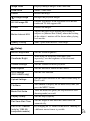
Shooting Tip List
Displays the shooting tip list.
Memory
Registers the desired modes or camera settings.
(Custom Settings)
MF Assist
Displays an enlarged image when focusing manually.
Grid Line
Sets a grid line display to enable alignment to a
structural outline.
Auto Review
Sets auto review to display the captured image after
shooting.
Exposure Set. Guide
Sets the guide displayed when exposure settings are
changed in the shooting screen.
Zoom Setting
Sets whether to use the Clear Image Zoom and Digital
Zoom when zooming.
Write Date
Sets whether to record a shooting date on the still
image.
GB
21