1
STEP 8:
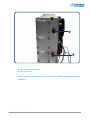
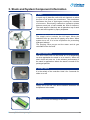
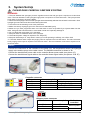
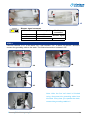
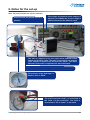
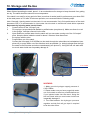
Check all the connection first and connect the load to the system as shown in 8A. Load + is
connected to “load+” of the controller, load – connected to the “FC- and load –” of the stack.
8A
STEP 9:
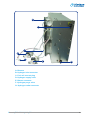
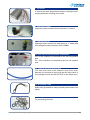
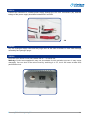
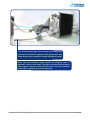
Connect LCD to the controller as shown in 9A. Provide hydrogen and turn on external power
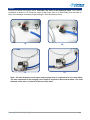
supply, then press the ON/OFF(9B) switch for more than 2 seconds to start the system. If you want
to switch off the system, press the ON/OFF(9B) switch for 2 seconds.
9B
9A
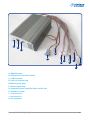
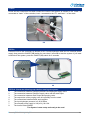
STEP 10: Check the following steps before starting the system:
1.
The connection between hydrogen pressure and hydrogen supply valve.
2.
The connection between hydrogen supply valve and the stack input.
3.
The connection between stack output and purging valve.
4.
The output tube of the purging valve is kept away from the stack.
5.
The connections between stack and controller.
6.
The input hydrogen pressure is 0.45-0.55Bar.
7.
The external power supply is 24V(±1V), 8A-12A.
8.
The load is below 5000W.
The System is now setup and ready to be used.
Manual_FCS-C5000_V1.2_EN
18