1
Table of Contents
Table of Contents
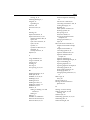
Chapter 1 Introduction ..............................................................................1
About MathType............................................................................................1
Using this Manual .........................................................................................2
Additional MathType Documentation ............................................................4
Getting Help..................................................................................................4
Registering Your Copy of MathType .............................................................5
Chapter 2 Getting Started .........................................................................7
Overview.......................................................................................................7
System Requirements ..................................................................................7
Installing MathType.......................................................................................7
What to do Next ............................................................................................9
Notes for Users of Earlier Versions of MathType..........................................9
Notes for Microsoft Equation Editor Users..................................................10
Chapter 3 Basic Concepts ......................................................................11
Introduction .................................................................................................11
The MathType Window ...............................................................................12
Keyboard Notation in this Manual...............................................................14
Mouse Notation in this Manual ...................................................................14
Entering Text from the Keyboard ................................................................14
Inserting Symbols .......................................................................................15
Inserting Templates.....................................................................................16
Placing the Insertion Point ..........................................................................16
Moving the Insertion Point ..........................................................................17
Selecting Items in an Equation ...................................................................18
The RETURN Key........................................................................................18
Keyboard Shortcuts ....................................................................................19
Chapter 4 Tutorials ..................................................................................21
Before You Start..........................................................................................21
Tutorial 1: Fractions and Square Roots ......................................................22
Tutorial 2: Sums, Subscripts & Superscripts...............................................26
Tutorial 3: Editing Old Equations ................................................................29
Tutorial 4: Including Text in an Equation .....................................................31
Tutorial 5: Using MathType’s Toolbar..........................................................32
Tutorial 6: Spacing and Alignment ..............................................................36
i