1
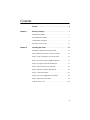
Contents
Preface . . . . . . . . . . . . . . . . . . . . . . . . . . . . . . . . . . . . . . . 5
Chapter 1
Before you begin. . . . . . . . . . . . . . . . . . . . . . . . . . . . . . . 7
Installation Summary. . . . . . . . . . . . . . . . . . . . . . . . . . . . . . . . 7
Pre-installation checklist . . . . . . . . . . . . . . . . . . . . . . . . . . . . . 8
Configuration worksheet . . . . . . . . . . . . . . . . . . . . . . . . . . . . . 9
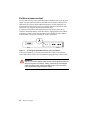
Perform a power-on test. . . . . . . . . . . . . . . . . . . . . . . . . . . . . 13
Chapter 2
Installing the router. . . . . . . . . . . . . . . . . . . . . . . . . . . . 15
Installation shortcut for IT professionals . . . . . . . . . . . . . . . . 15
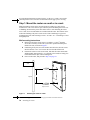
Step 1: Mount the router on a wall or in a rack . . . . . . . . . . . 16
Step 2: Set up a computer to access the router . . . . . . . . . . . 18
Step 3: Access the router’s graphical interface . . . . . . . . . . . 19
Step 4: Set a password for the default user . . . . . . . . . . . . . . 19
Step 5: Allow remote access (optional) . . . . . . . . . . . . . . . . . 20
Step 6: Enter the worksheet information . . . . . . . . . . . . . . . . 20
Step 7: Connect the cables . . . . . . . . . . . . . . . . . . . . . . . . . . . 23
Step 8: Save your configuration and restart. . . . . . . . . . . . . . 24
Step 9: Test access to the WAN . . . . . . . . . . . . . . . . . . . . . . . 24
If all else fails...reset . . . . . . . . . . . . . . . . . . . . . . . . . . . . . . . 24
3