1
Start up problems after prolong use
After a prolong period of use your PC may experience start up problems again. This
may be caused by breakdown of devices connected to the motherboard such as
HDD, CPU fan, etc. The following tips may help to revive the PC or identify the cause
of failure.
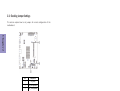
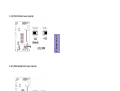
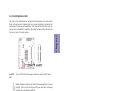
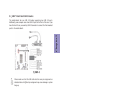
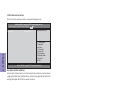
1. Clear the CMOS values using the CLR_CMOS jumper. Refer to CLR_CMOS jumper
in Chapter 2 for Checking Jumper Settings in this user manual. When completed,
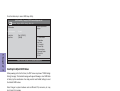
follow up with a Load Optimised Default in the BIOS setup.
2. Check the CPU cooler fan for dust. Long term accumulation of dust will reduce its
effectiveness to cool the processor. Clean the cooler or replace a new one if
necessary.
3. Remove the hard drive, optical drive or DDR memory to determine which of
these components may be at fault.
4. Check whether there is any bulked up electrolytic capacitor or abnormal
component.
Please logo onto our ECS website: http://www.ecs.com.tw/ECSWebSite/Support/
Technical_Support_List.aspx?MenuID=50&LanID=0 for more information.
Maintenance and care tips
Chapter 5
Your computer, like any electrical appliance, requires proper care and
maintenance. Here are some basic PC care tips to help prolong the life of the
motherboard and keep it running as best as it can.
1. Keep your computer in a well ventilated area. Leave some space between the
PC and the wall for sufficient airflow.
2. Keep your computer in a cool dry place. Avoid dusty areas, direct sunlight and
areas of high moisture content.
3. Routinely clean the CPU cooler fan to remove dust and hair.
4. In places of hot and humid weather you should turn on your computer once
every other week to circulate the air and prevent damage from humidity.
5. Add more memory to your computer if possible. This not only speeds up the
system but also reduces the loading of your hard drive to prolong its life span.
6. If possible, ensure the power cord has an earth ground pin directly from the
wall outlet. This will reduce voltage fluctuation that may damage sensitive devices.
56
BAT-I2 USER MANUAL