1
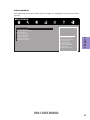
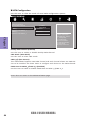
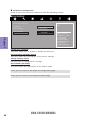
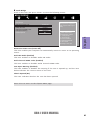
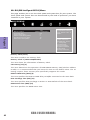
ACPI Setting
The item in the menu shows the highest ACPI sleep state when the system enters
suspend.
Aptio Setup Utility - Copyright (C) 2011 American Megatrends, Inc.
Main
Advanced
Chipset
M.I.B III
Boot
ACPI Settings
ACPI Sleep State
Security
Exit
Select the highest ACPI
sleep state the system
will enter when the
suspend button is pressed.
S3 (Suspend to RAM)
Chapter 3
: Select Screen
/Click: Select Item
Enter/Dbl Click : Select
+/- : Change Opt.
F1: General Help
F2: Previous Values
F3: Optimized Defaults
F4: Save & Exit
ESC/Right Click: Exit
ACPI Sleep State (S3(Suspend to RAM))
This item allows user to enter the ACPI S3 (Suspend to RAM) Sleep State (default).
Press <Esc> to return to the Advanced Menu page.
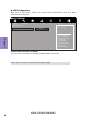
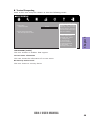
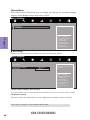
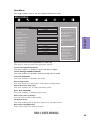
CPU Configuration
Scroll to this item and press <Enter> to view the following screen:
Main
Advanced
Chipset
M.I.B III
Boot
CPU Configuration
Socket0: AMD A6-5200 APU with Radeon (TM) HD Graphics
Max Speed: 2000 MHZ
Intended Speed: 2000 MHZ
Microcode Patch Level: 7000106
--------- Cache per Core --------L1 Instruction Cache: 128 KB/2-way
L1 Data Cache: 128KB/8-way
L2 Cache: 2048KB/16-way
No L3 Cache Present
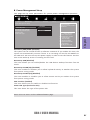
C6 Mode
AMD Turbo Core
AMD C&Q
32
Enabled
Auto
Enabled
KBN-I USER MANUAL
Security
Exit
Enabled/ disabled C6
: Select Screen
/Click: Select Item
Enter/Dbl Click : Select
+/- : Change Opt.
F1: General Help
F2: Previous Values
F3: Optimized Defaults
F4: Save & Exit
ESC/Right Click: Exit