1
System board ........................................................................................................................ 50
Battery .................................................................................................................................. 52
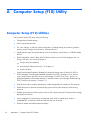
Appendix A Computer Setup (F10) Utility ........................................................................... 54
Computer Setup (F10) Utilities ................................................................................................. 54
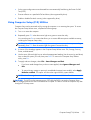
Using Computer Setup (F10) Utilities .......................................................................... 55
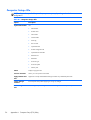
Computer Setup—File .............................................................................................. 56
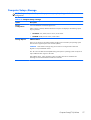
Computer Setup—Storage ........................................................................................ 57
Computer Setup—Security ........................................................................................ 59
Computer Setup—Power .......................................................................................... 60
Computer Setup—Advanced .................................................................................... 61
Appendix B Power cord set requirements .......................................................................... 62
General requirements ............................................................................................................. 62
Japanese power cord requirements .......................................................................................... 62
Country-specific requirements .................................................................................................. 63
Appendix C POST Error Messages ...................................................................................... 64
POST Numeric Codes and Text Messages ................................................................................. 65
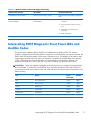
Interpreting POST Diagnostic Front Panel LEDs and Audible Codes ............................................... 73
Appendix D Password Security and Resetting CMOS .......................................................... 74
Resetting the Password Jumper ................................................................................................. 75
Clearing and Resetting the CMOS ........................................................................................... 75
Appendix E Troubleshooting without diagnostics ............................................................... 77
Safety and comfort ................................................................................................................. 77
Before you call for technical support ......................................................................................... 77
Helpful hints .......................................................................................................................... 78
Solving general problems ........................................................................................................ 80
Solving power problems ......................................................................................................... 84
Solving hard drive problems .................................................................................................... 85
Solving media card reader problems ........................................................................................ 88
Solving display problems ........................................................................................................ 89
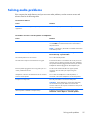
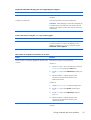
Solving audio problems .......................................................................................................... 95
Solving printer problems ......................................................................................................... 97
Solving keyboard and mouse problems .................................................................................... 98
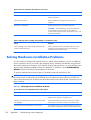
Solving Hardware Installation Problems .................................................................................. 100
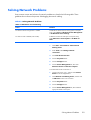
Solving Network Problems .................................................................................................... 103
Solving memory problems ..................................................................................................... 106
vii