1
1Table of
Contents
1Table of
Contents
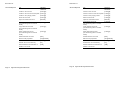
IMPORTANT
v
SECURITY STAMP ...........................................................v
End User Liscence Agreement ...........................................vi
IMPORTANT
v
SECURITY STAMP........................................................... v
End User Liscence Agreement........................................... vi
Welcome to DLS–3 v1.3
ix
What is the DLS–3 SA System Administrator Software? ..ix
Who should use DLS–3 SA? ..............................................ix
Using the DLS–3 SA manual .............................................ix
Welcome to DLS–3 v1.3
ix
What is the DLS–3 SA System Administrator Software? . ix
Who should use DLS–3 SA? ............................................. ix
Using the DLS–3 SA manual............................................. ix
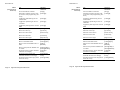
Section 1: Introduction
1
Hardware and software requirements ..................................1
Compatible modems ............................................................1
About PC–Link....................................................................2
Installing DLS-3 SA ............................................................2
Uninstalling DLS-3 SA .......................................................3
Section 1: Introduction
1
Hardware and software requirements ................................. 1
Compatible modems ........................................................... 1
About PC–Link ................................................................... 2
Installing DLS-3 SA............................................................ 2
Uninstalling DLS-3 SA ....................................................... 3
Section 2: Getting to Know Your Security System 5
Your Security System ..........................................................5
Zones and Partitions ............................................................5
Access Codes .......................................................................6
Keypads ...............................................................................6
Audio Help...........................................................................6
Section 2: Getting to Know Your Security System 5
Your Security System ......................................................... 5
Zones and Partitions............................................................ 5
Access Codes ...................................................................... 6
Keypads............................................................................... 6
Audio Help.......................................................................... 6
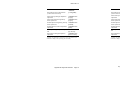
Section 3: Exploring DLS-3 SA
DLS-3 SA ............................................................................7
Launching DLS-3 SA ..........................................................7
Entering a Security Stamp ...................................................7
Logging on to DLS-3 SA.....................................................8
Account Explorer Workspace..............................................8
The Table of Contents .........................................................9
Tags....................................................................................10
Section ...............................................................................10
Links ..................................................................................10
Section Title.......................................................................10
Tables.................................................................................10
Operations log....................................................................11
Creating new users and passwords ....................................13
Section 3: Exploring DLS-3 SA
DLS-3 SA............................................................................ 7
Launching DLS-3 SA.......................................................... 7
Entering a Security Stamp................................................... 7
Logging on to DLS-3 SA .................................................... 8
Account Explorer Workspace ............................................. 8
The Table of Contents......................................................... 9
Tags ................................................................................... 10
Section............................................................................... 10
Links.................................................................................. 10
Section Title ...................................................................... 10
Tables ................................................................................ 10
Operations log ................................................................... 11
Creating new users and passwords.................................... 13
Page i
Page i