1
4.1
Import Script in Batches
If the script contains more than 500 files or if you want to import it in small batches of,
say, 200 files, in order to alternate between recording, editing, and processing, deliver
the job in installments, or whatever other reason, the batch size can be reduced.
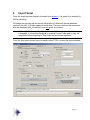
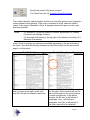
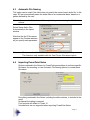
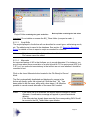
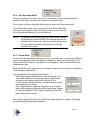
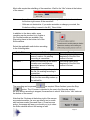
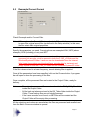
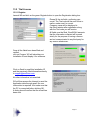
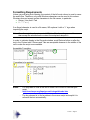
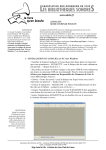
1. Make sure the Batch Number
cell is equal to “1” since you
want to import the first batch.
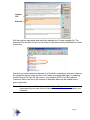
2. Enter the size of the batches
(500 maximum).
The example on the right
shows 200 files per batch.
Batch Number
Batch Size
Click on the Import Script button to import the script normally. At this point, only the first
200 files (or whatever batch size was selected) is imported and the Recorder window
opens as usual.
When the recording of this first batch is complete, open the Import window to import the
next batch.
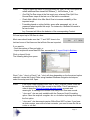
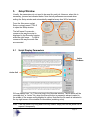
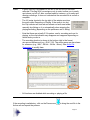
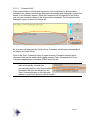
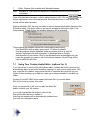
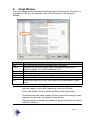
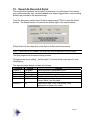
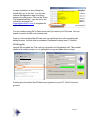
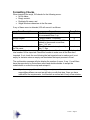
Note that the Import Next Batch
button is now enabled and indicates
the next batch number.
Click the Import Next Batch to import
the next batch.
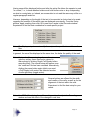
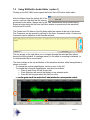
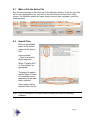
The script does not have to be
specified again. Each time the
Import window is opened, both the current batch number and the Import Next Batch (x)
of yyy files button are updated and ready for the next import.
Note that the last batch imported will be less than the specified batch size if the script
has not been divided in equal batches, which is fine.
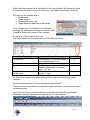
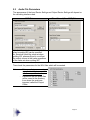
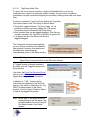
To abort the Batch mode and import a new script, click on the Import New Script button.
Select “No” in the warning message if you chose Import New Script by error.
Page 15