1
Table of Contents
CHILD CHECK IN OVERVIEW
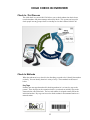
Check In / Out Process..................................................................................................................5
Check In Methods.........................................................................................................................5
Key Tags...................................................................................................................................5
Bar Code Badge........................................................................................................................6
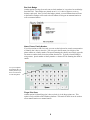
Name, Phone, Family Number..................................................................................................6
Finger Print Scan.......................................................................................................................6
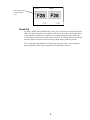
Name Tags and Security Tags.......................................................................................................7
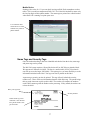
Mobile Device...........................................................................................................................7
Check Out.....................................................................................................................................8
INSTALLING ROLL CALL for CHILD CHECK-IN
Hardware/Software Requirements................................................................................................9
Roll Call workstations..............................................................................................................9
Bar Code scanner......................................................................................................................9
Dymo LabelWriter....................................................................................................................9
Finger Print Scanner.................................................................................................................9
Finger Print Software................................................................................................................9
Roll Call Software Installation......................................................................................................9
Single user version....................................................................................................................9
Network Version.......................................................................................................................9
Check in Station Hardware Installation......................................................................................10
Bar Code Scanner...................................................................................................................10
Dymo Labelwriter...................................................................................................................10
CONFIGURING CHECK-IN
User Security and Check In Users..............................................................................................11
Activate Roll Call Security.....................................................................................................11
Create Check In Users............................................................................................................11
Check In User - Types............................................................................................................12
Check In User - Defaults........................................................................................................12
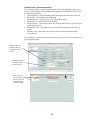
Check In User - Screen Appearance.......................................................................................14
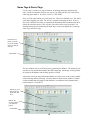
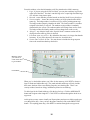
Name Tags & Parent Tags...........................................................................................................15
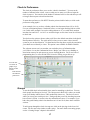
Check In Preferences..................................................................................................................17
Groups.........................................................................................................................................17
People..........................................................................................................................................18
Key tags......................................................................................................................................19
CUSTOMIZING CHECK IN LABELSs
Check-In/Out Setup....................................................................................................................20
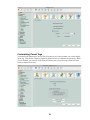
Customizing Parent Tags............................................................................................................21
Defining the Page Size................................................................................................................24
Markers.......................................................................................................................................25
Dragging Objects........................................................................................................................26
Adding Images............................................................................................................................26
Printing a test label......................................................................................................................26
Customizing Child/Adult/Youth labels.......................................................................................26
CREATING GROUPS
Group Hierarchy.........................................................................................................................28
Enter general information.......................................................................................................28