1
Chapter 28: Reading Mail with Rmail
.
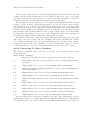
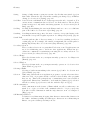
Scroll to start of message (rmail-beginning-of-message).
/
Scroll to end of message (rmail-end-of-message).
298
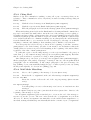
Since the most common thing to do while reading a message is to scroll through it by
screenfuls, Rmail makes SPC and DEL synonyms of C-v (scroll-up) and M-v (scrolldown)
The command . (rmail-beginning-of-message) scrolls back to the beginning of the
selected message. This is not quite the same as M-<: for one thing, it does not set the mark;
for another, it resets the buffer boundaries to the current message if you have changed
them. Similarly, the command / (rmail-end-of-message) scrolls forward to the end of the
selected message.
28.3 Moving Among Messages
The most basic thing to do with a message is to read it. The way to do this in Rmail is
to make the message current. The usual practice is to move sequentially through the file,
since this is the order of receipt of messages. When you enter Rmail, you are positioned
at the first message that you have not yet made current (that is, the first one that has the
‘unseen’ attribute; see Section 28.9 [Rmail Attributes], page 304). Move forward to see the
other new messages; move backward to re-examine old messages.
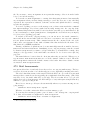
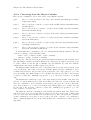
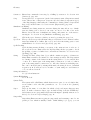
n
Move to the next nondeleted message, skipping any intervening deleted messages (rmail-next-undeleted-message).
p
Move to the previous nondeleted message (rmail-previous-undeletedmessage).
M-n
Move to the next message, including deleted messages (rmail-next-message).
M-p
Move to the previous message, including deleted messages (rmail-previousmessage).
j
Move to the first message. With argument n, move to message number n
(rmail-show-message).
>
Move to the last message (rmail-last-message).
<
Move to the first message (rmail-first-message).
M-s regexp RET
Move to the next message containing a match for regexp (rmail-search).
- M-s regexp RET
Move to the previous message containing a match for regexp.
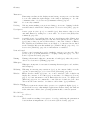
n and p are the usual way of moving among messages in Rmail. They move through the
messages sequentially, but skip over deleted messages, which is usually what you want to
do. Their command definitions are named rmail-next-undeleted-message and rmailprevious-undeleted-message. If you do not want to skip deleted messages—for example,
if you want to move to a message to undelete it—use the variants M-n and M-p (rmail-nextmessage and rmail-previous-message). A numeric argument to any of these commands
serves as a repeat count.