1
Chapter 20: Major and Minor Modes
200
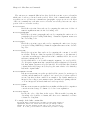
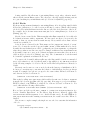
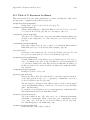
If the default value of major-mode is nil, the major mode is taken from the previously
current buffer.
Specialized major modes often change the meanings of certain keys to do something more
suitable for the mode. For instance, programming language modes bind TAB to indent the
current line according to the rules of the language (see Chapter 21 [Indentation], page 205).
The keys that are commonly changed are TAB, DEL, and C-j. Many modes also define
special commands of their own, usually bound in the prefix key C-c. Major modes can
also alter user options and variables; for instance, programming language modes typically
set a buffer-local value for the variable comment-start, which determines how source code
comments are delimited (see Section 23.5 [Comments], page 249).
To view the documentation for the current major mode, including a list of its key bindings, type C-h m (describe-mode).
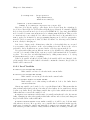
Every major mode, apart from Fundamental mode, defines a mode hook, a customizable
list of Lisp functions to run each time the mode is enabled in a buffer. See Section 33.2.2
[Hooks], page 422, for more information about hooks. Each mode hook is named after
its major mode, e.g., Fortran mode has fortran-mode-hook. Furthermore, all text-based
major modes run text-mode-hook, and all programming language modes run prog-modehook, prior to running their own mode hooks. Hook functions can look at the value of the
variable major-mode to see which mode is actually being entered.
Mode hooks are commonly used to enable minor modes (see Section 20.2 [Minor Modes],
page 200). For example, you can put the following lines in your init file to enable Flyspell
minor mode in all text-based major modes (see Section 13.4 [Spelling], page 111), and Eldoc
minor mode in Emacs Lisp mode (see Section 23.6.3 [Lisp Doc], page 253):
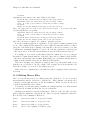
(add-hook ’text-mode-hook ’flyspell-mode)
(add-hook ’emacs-lisp-mode-hook ’eldoc-mode)
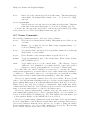
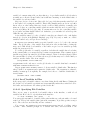
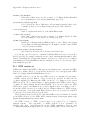
20.2 Minor Modes
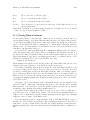
A minor mode is an optional editing mode that alters the behavior of Emacs in some welldefined way. Unlike major modes, any number of minor modes can be in effect at any time.
Some minor modes are buffer-local, and can be turned on (enabled) in certain buffers and off
(disabled) in others. Other minor modes are global: while enabled, they affect everything
you do in the Emacs session, in all buffers. Most minor modes are disabled by default, but
a few are enabled by default.
Most buffer-local minor modes say in the mode line when they are enabled, just after
the major mode indicator. For example, ‘Fill’ in the mode line means that Auto Fill mode
is enabled. See Section 1.3 [Mode Line], page 8.
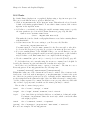
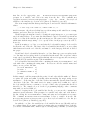
Like major modes, each minor mode is associated with a mode command, whose name
consists of the mode name followed by ‘-mode’. For instance, the mode command for Auto
Fill mode is auto-fill-mode. But unlike a major mode command, which simply enables
the mode, the mode command for a minor mode can either enable or disable it:
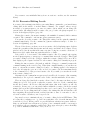
• If you invoke the mode command directly with no prefix argument (either via M-x, or
by binding it to a key and typing that key; see Section 33.3 [Key Bindings], page 428),
that toggles the minor mode. The minor mode is turned on if it was off, and turned
off if it was on.