1
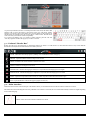
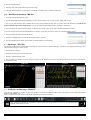
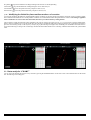
CHART - Enters the diagrams view mode
LOAD SESSION: To load a new file
PZRACING: opens the default browser and accesses our website www.pzracing.it
4 – Setup
To enter the setup window, press the relative button on
any screen of the software and the following pop up
window will appear:
Please note: .SES files can be opened with any
text editor; as they follow very precise
formatting options and rules, they must not be
manually modified as you may damage or
corrupt them permanently. Always use the
RacePro software for any changes.
4.1 – Setup menu options
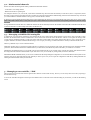
This section lists and explains all the options which can be found in the setup menu of the program.
Please note: when the text box or the drop-down list is grey, the box cannot be selected as that size has a default setting which
cannot be modified.
Driver name: name of the driver
Vehicle name: name of the vehicle
Notes: notes on the current session (visible only if a session is open)
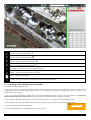
Basic: tab which moves the screen from one of the four basic measurements to another of the device
Digital: tab which switches the screen to the digital channels
Analogic: tab which switches the screen to the analogue channels
Math: tab which switches the screen to the mathematical channels
Basic
Digital
PZRacing Via de Gasperi 5 – 61032 Fano (PU) Italy - Tel: +39 0721 820434 – Email: tech@pzracing.it