1
As previously mentioned, RacePro was developed in full screen mode; this means that
Windows will not show the taskbar at the bottom of the page. This mode, besides
allowing us to develop a more catchy design, also gives the chance to take advantage of
the full screen size and allows the user to view data on a wider surface. The full screen
mode is necessary for Windows 8 tablet compatibility.
To go back to the desktop view or to switch to another software, press the "Alt" and
"Tab" keys together and select the program you wish to switch to.
3.1 – Pulsanti “Header Bar”
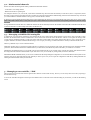
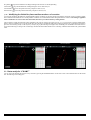
Starting from the top on the initial page you will find the buttons bar which, as we will see later on, will remain the same for every screen while the
buttons will activate/deactivate based on the choices made by the user.
CLOSE - This button closes the program; by clicking on it a confirmation window will pop up
IMPORT - Opens the selection window to import a new session
TRACK - Switches to the circuit and GPS coordinates view mode
CHART - Switches to the diagrams view mode
ITALIAN FLAG - Switches the language to Italian; it is only visible when the language is set to English
ENGLISH FLAG - Switches the language to English; it is only visible when the language is set to Italian
SETUP - Opens the set up window of the session; it is visible only when no more than one session is open
INFO - Opens the RacePro software info page (copyright, version, etc.)
3.2 – Main interface
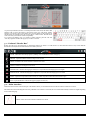
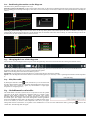
Under the button bar there is the central part of the interface where you can find the three main selection buttons and the news section.
WELCOME: the section including the main news published on our website is on the left; the news will be loaded directly in Italian or English depending
on the selected language.
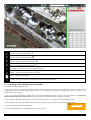
TRACK - Enters the circuit and GPS coordinates view mode
PZRacing Via de Gasperi 5 – 61032 Fano (PU) Italy - Tel: +39 0721 820434 – Email: tech@pzracing.it