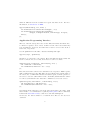
1
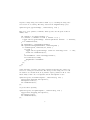
which is different from the domain the request was made from. For more
information, see this article on MDN.
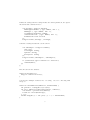
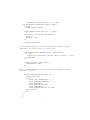
app.use(function(req, res, next) {
res.header("Access-Control-Allow-Origin", "*");
res.header("Access-Control-Allow-Headers",
"Origin, X-Requested-With, Content-Type, Accept");
next();
});
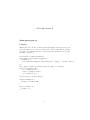
Application Programming Interface
The rest of the file sets up the routes for the API, and defines the functions to
be called for requests to those routes. Common for all of the routes is that they
respond with 200 on success, and either 400 or 500 for errors on the client or
server side, respectively.
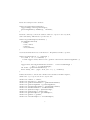
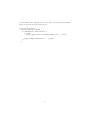
Use the apiRouter for all calls to addresses starting with /api.
app.use('/api', apiRouter);
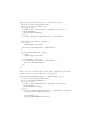
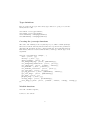
Checks for a connection to the camera. Responds with 200 if successful, and
500 if a connection does not exist, and a new one can not be made.
apiRouter.get('/connected', function(req, res) {
var connected = sdk.init();
res.sendStatus(connected ? 200 : 500);
});
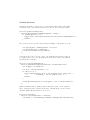
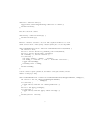
Disconnects from the camera. Note that this route responds to POST requests,
while /connected responds to GET. The reason for this is reflected in the name of
the routes, also. /connected is meant as a status request, as in the question is
the camera connected? /disconnect on the other hand, assumes that the camera
is connected, and that the user issues the command disconnect the camera.
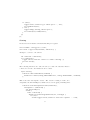
apiRouter.post('/disconnect', function(req, res) {
var disconnected = sdk.destroy();
res.sendStatus(disconnected ? 200 : 500);
});
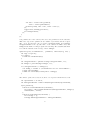
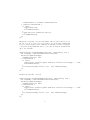
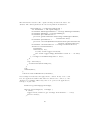
Gets data from the database, between the dates given in the route name. from
and to must be on a form that is recognized by Date.parse. The recommended
format is the ISO 8601 format, because it is clear and unambiguous.
On success, the data is written to a CSV file and offered to the user as a
download.
2