1
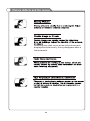
Menu system instruction
PVR
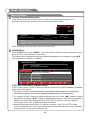
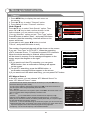
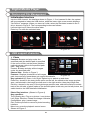
Instant recording
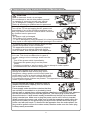
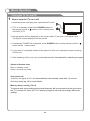
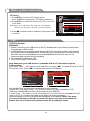
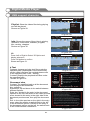
1. Select the desired channel then press the RECORD button on the remote control to start
recording the current broadcast, a progress bar will be displayed at the bottom of the screen.
- During recording, the progress bar will fade out after 10 seconds.
2. Recording stops when you press the STOP button and the recorded file is stored in the
external USB device automatically.
NOTE: You can only watch channels on the same frequency as the program being recorded.
If you try to change to another channel a message will appear prompting you to continue or
not 'Recording in progress. Change channel will stop recording. Yes or No.'
Recording in standby mode
This unit is able to do recording while in standby mode.
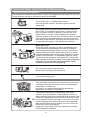
1. Start a recording then press the power button. A message will be displayed prompting you
to continue or cancel.
Recording
REC
9 Nine Digital
[00:00:13]
04:56
Remain [00:05:13]
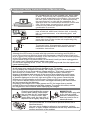
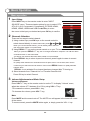
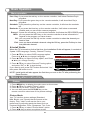
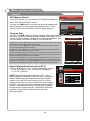
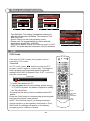
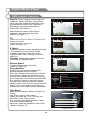
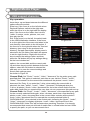
At Guide menu, press “ ” button to reserve -record the selected program.
At reserve record menu, press “t/u” button to adjust the scheduled time, press “OK” to
save the setting and press the yellow button to check the record schedule. Recording will
proceed when the TV is in either active or standby modes. When recording initialises in
standby mode, the front panel indicators will flash momentarily, and there will be no picture
output. You can intercept the recording by turning on the power and viewing the program
that is being recorded. The schedules should not overlap, and there should be at least 1
min between two scheduled programs.
DTV
9 Nine Digital
MALCOLM IN THE MIDDLE
Programme
9 MALCOLM IN THE MIDDLE
Mode
AUTO
18 Jan 2010
Start Date
04:30
Start Time
End Date
18 Jan 2010
End Time
05:00
Back
Schedule
OK
OK
EXIT
Exit
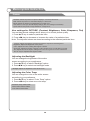
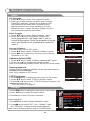
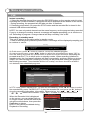
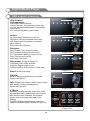
In DTV mode, press “OK/RECLIST” to open the recorded list. Press “p/q” button to select
the recorded file, press “OK/RECLIST” to play the recorded file, and press the “u” button to
show the recording information. Information. When playing, the “
”, “ ”, “ ”, “
”
, “ ”,“ ” “ ”buttons are available. Press “EXIT” to show or hide the control menu.
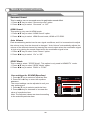
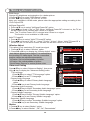
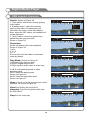
Recorded List
When the Recorded List is displayed
on the screen, you can delete files you
no longer require. Select the desired file
using the arrow buttons, then press the
Red button to delete.
NOTE: Files cannot be deleted during
Playback or Recording.
MALCOLM IN THE MIDDLE
MALCOLM IN THE MIDDLE
Delete Delete
OK OK
39
To. Page 1
Cu. Page 1
[DATE] 2010/01/18
[Time] 04:56:40
[ DURATION]00 00:00:13
[PROGRAM NAME] MALCOLM IN THE MIDDLE
[CHANNEL NAME] 9 Nine Digital
[PROGRAM DESCRIPTION] If Boys Were GilsEvery time the boys are...