1
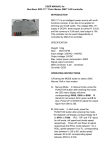
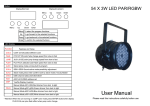
1、Digital Chart:
MENU
UP
DOWN ENTER
2、Menu instruction:
Press MENU button, the display will circularly turn out the 14 function for choice, and the
lights will persist in flashing. Press ENTER button, it will turn to the function you choose. Press
UP or DOWN to plus or decrease the function value. Then press ENTER. Machine will save this
value, and lights will stop flash. If 10 seconds no action on the digital buttons, the lights will auto
stop flash and save current value.
3、LED Display manual specification:
No.
Manual
Function specification(Press” ENTER”)
1
r— —
r000 to r255: R dimmer,from dark to light
2
g— —
g000 to g255:G dimmer,from dark to light
3
b— —
b000 to b255:B dimmer,from dark to light
4
n— —
n000 to n255:W dimmer,from dark to light
5
C— —
C000 to C255:7 color shade speed,from slow to fast
6
J— —
J000 to J255:7 color skip speed,from slow to fast。
7
FS— —
FS00 to FS09: choose flashing color
8
F— —
F000 to F255: flash speed,from slow to fast
9
LS— —
LS00 to LS09:choose color
10
L— —
L000 to L255:7 color from dark to light。
11
U— —
U00 to U255:sound active speed, from slow to fast
12
A— —
A000 to A255:auto speed, from slow to fast
13
d9CH
DMX 9 channel mode, should link to DMX controler
14
d.5CH
DMX 5 channel mode, should link to DMX controler
4、DMX512 Channel Chart:
(5CH)
Channel
Function
specification
CH 1
Total Dimmer
R G B G W color from dark to light
CH 2
R dimmer
Red color from dark to light
CH 3
G dimmer
Green color from dark to light
CH 4
B dimmer
Blue color from dark to light
CH 5
W dimmer
White color from dark to light
The 4 color’s
different
brightness
can
mix out all kinds
of color