1
Ocularis Client User Manual
Exporting Evidence
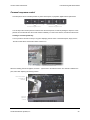
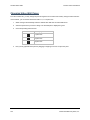
Cancelling an Export
If, after executing an export of any type (AVI video, Database Format video or still images) you decide you want to
abort the export for any reason (e.g., incorrect data selected, wrong codec selected, taking too long, etc.) you may
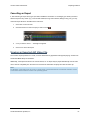
cancel the export while it is still visible in the Jobs menu.
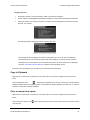
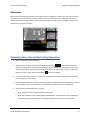
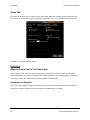
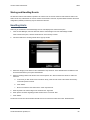
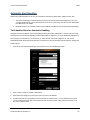
1.
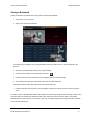
Click ‘Jobs’ on the menu bar.
2.
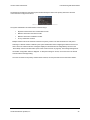
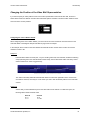
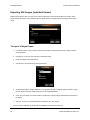
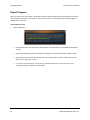
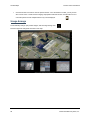
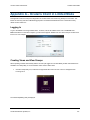
Click the Cancel icon next to the job you wish to cancel.
Cancelling an Export Job
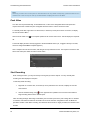
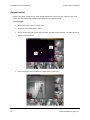
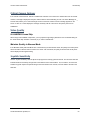
3.
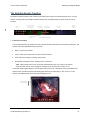
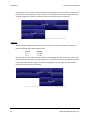
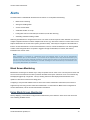
A “Do you want to cancel …” message box appears.
4.
Click ‘Yes’ to cancel the export.
Viewing an Exported AVI Video Clip
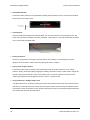
Once a video clip is exported to an .avi file, it can be viewed with any application that supports playing .avi files such
as Windows Media Player or QuickTime.
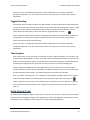
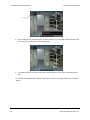
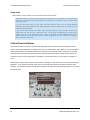
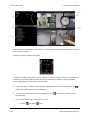
Additionally, if the export was done in the current session, an .avi export may be played back directly from the Jobs
menu. Click the completed job in the Jobs menu to launch the associated .avi player and view the video clip.
Note:
For Windows 8, this feature will only work if a media player is associated with the .avi filename extension via the
Control Panel Set Associations screen in the operating system.
On-Net Surveillance Systems, Inc.
67