1
Forgot an Access Point Name, SSID, or a Network Key
Cannot Connect with an Access Point to Which a WEP or WPA/WPA2 Key Is Set (You Forgot the WEP or
WPA/WPA2 Key)
How to Set an Encryption Key
Cannot Connect with an Access Point to Which a WEP or WPA/WPA2 Key
Is Set (You Forgot the WEP or WPA/WPA2 Key)
For information on how to set up the access point, refer to the instruction manual provided with the access
point or contact its manufacturer. Make sure that the computer and the access point can communicate
with each other.
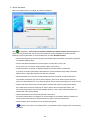
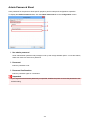
After that, set up the machine to match the settings of the access point using IJ Network Tool.
How to Set an Encryption Key
For information on how to set up the access point, refer to the instruction manual provided with the access
point or contact its manufacturer. Make sure that the computer and the access point can communicate
with each other.
After that, set up the machine to match the settings of the access point using IJ Network Tool.
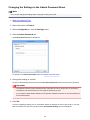
• When using WEP
The key length, key format, the key to use (one of 1 to 4), and the authentication method must match
among the access point, the machine, and the computer.
In order to communicate with an access point that uses automatically generated WEP keys, you must
configure the machine to use the key generated by the access point by entering it in hexadecimal
format.
Normally, select Auto for the authentication method. Otherwise, select Open System or Shared Key
according to the setting of the access point.
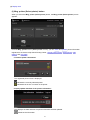
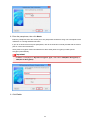
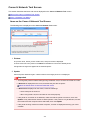
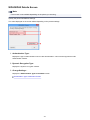
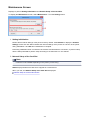
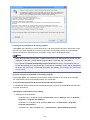
When the WEP Details screen appears after clicking Set on the Search screen, follow the on-screen
instructions and set the key length, the key format, the key number, and the authentication to enter a
WEP key.
For details, see Changing the WEP Detailed Settings.
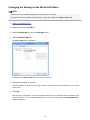
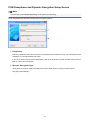
• When using WPA/WPA2
The authentication method, passphrase, and dynamic encryption type must match on the access
point, the machine, and the computer.
Enter the passphrase configured on the access point (a sequence of between 8 and 63 alphanumeric
characters, or a 64-character hexadecimal number).
Either TKIP (basic encryption) or AES (secure encryption) is selected automatically for the dynamic
encryption method.
For details, see Changing the WPA/WPA2 Detailed Settings.
Note
• This machine supports WPA/WPA2-PSK (WPA/WPA2-Personal) and WPA2-PSK (WPA2Personal).
596