1
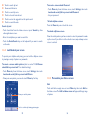
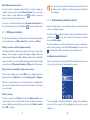
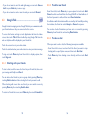
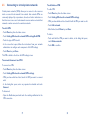
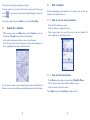
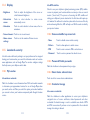
2.1.2 Swype keyboard
hone call, Call log and
3 PContacts.................................
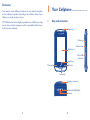
Touch and hold
to select the
input method.
Touch and hold
to enter multiple
choices mode.
Touch to switch "abc/
Abc/ABC" input mode
Touch and hold
for Sypye settings
and additional
information.
Touch to enter
numbers, symbols, etc.
Touch to swith back to last chosen language.
Touch and hold to change the input language.
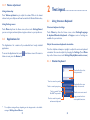
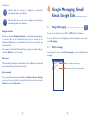
3.1
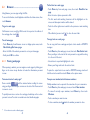
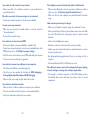
3.1.1 Placing a call
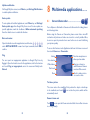
You can easily start a call using Phone.
Enter this menu using one of the following two ways:
•Touch
2.2
Text editing
Phone............................................................
from the Home screen.
•Touch Application tab from the Home screen and select Phone.
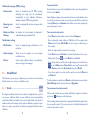
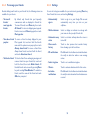
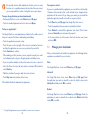
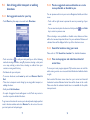
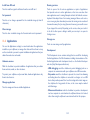
You can edit the text you have entered.
•Touch and hold the text you would like to edit
•Options list pops up
•Select the operation you need (Select word, Select all, Input
method, etc.)
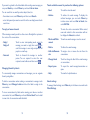
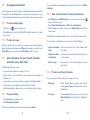
Touch and hold to
access voicemail
Touch and hold to
add 2-sec pause
Touch and hold
to add wait
Touch to delete
incorrect digits
Touch to add
to Contacts
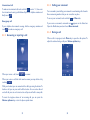
Enter the desired number from the keyboard directly or select a contact
from Contacts, Call log or Favorites by touching tabs, then touch
to place the call.
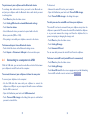
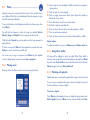
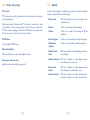
The number you entered can be saved to Contacts by touching
touching Menu key and Add to contacts.
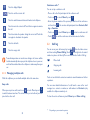
To hang up a call, touch
31
or press the Power key.
32
or