1
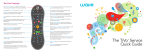
Remote control tips & shortcuts
Program your TiVo® remote to control your TV or A/V receiver. See the
Settings chapter for instructions.
Get where you want to go quickly! From the TiVo Central® screen, press
the following number buttons for these shortcuts:
Press the TiVo button once to go to the TiVo Central® screen, or twice to
go to the My Shows list—your list of recorded shows.
Season Pass Manager
While watching live TV, press SELECT to see the mini-guide: a snapshot
of what’s coming up on the next three channels.
WishList Search screen
CH UP/DOWN does more than change the channel—it also pages up or
down through lists of shows or menu items.
Browse TV, Movies, and Videos
Press ADVANCE
to move forward 30 seconds. Press and hold to
catch up to live TV or jump to the end of a recorded show.
Surprise! Watch a TiVo cartoon.
To Do List
Search
History
Note: Not all shortcuts are available on all TiVo boxes.
Press REPLAY
to jump back 8 seconds. Press and hold to jump to the
beginning of a show.
Remote Control Troubleshooting
Press any button on the remote. Does the activity light above the
TiVo button on the remote flash?
If the activity light does not flash, make sure the batteries are
positioned correctly in the remote. If they are correctly
positioned, try a new set of batteries.
If the activity light on the remote does flash, but the lights on the
front of the TiVo box do not respond to the remote, restart your
TiVo box by unplugging it, waiting 15 seconds, then plugging it
back in.
See the Troubleshooting chapter for more help with your remote
control.
Activity light