1
Cracking Passwords Version 1.1
5 of 45
file:///D:/password10.html
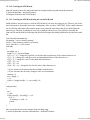
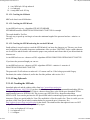
3.1.1.1 Using bkhive and samdump2 v1.1.1 (BT2 and BT3)
1. # mount /dev/hda1 /mnt/XXX
mount your windows partition substituting hda1 for whatever your windows partition is
2. if the syskey password is stored locally you need to extract it from the registry so you can decrypt the
SAM. If syskey is setup to prompt for a password or the password is on a floppy, stop now and read the
syskey documentation in this document for more information about syskey. If you installed windows to
something other C:\WINDOWS please substitute the correct path. WARNING the path is case
sensitive. The filenames of sam, security, and system are case sensitive. On my system these files are
lowercase. I have come across other XP systems where they are uppercase. On the Vista system I have
used the filenames are uppercase.
BackTrack 2 users use the following:
# bkhive-linux /mnt/XXX/WINDOWS/system32/config/system syskey.txt
BackTrack 3 users use the following:
# bkhive /mnt/XXX/WINDOWS/system32/config/system syskey.txt
3. # samdump2 /mnt/XXX/WINDOWS/system32/config/sam syskey.txt >hash.txt
samdump2 will dump the SAM to the screen and the > character redirects the output to a file called
hash.txt
you can also run samdump2 with the -o parameter to write the output to a file
# samdump2 -o hash.txt /mnt/XXX/WINDOWS/system32/config/sam syskey.txt
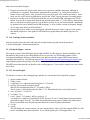
3.1.1.2 Using new samdump2 v2.0 (BT4)
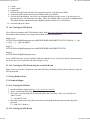
The current version is 2.0.1 and has the benefit of being able to extract the syskey on its own. This means
dumping the hashes in now a 1 step process instead of two. To upgrade and run sampdump2 v2.0.1:
1.
2.
3.
4.
5.
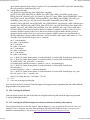
download the current sampdump2 from http://sourceforge.net/project/showfiles.php?group_id=133599
# tar -xjvf samdump2-2.0.1.tar.bz2
# cd samdump2-2.0.1
# make
# cp samdump2 /usr/local/bin/samdump20
this will keep the existing version. If you want to overwrite the existing version do:
# cp samdump2 /usr/local/bin/
6. mount your windows partition substituting hda1 for whatever your windows partition is
# mount /dev/hda1 /mnt/XXX
7. if the syskey password is stored locally samdump2 v2.0 will extract it from the registry so it can decrypt
the SAM. If syskey is setup to prompt for a password or the password is on a floppy, stop now and read
the syskey documentation in this document for more information about syskey. If you installed
windows to something other C:\WINDOWS please substitute the correct path. WARNING the path is
case sensitive. The filenames of sam, security, and system are case sensitive. On my system these files
are lowercase. I have come across other XP systems where they are uppercase. On the Vista system I
have used the filenames are uppercase.
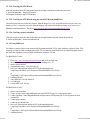
8. # samdump2 /mnt/XXX/WINDOWS/system32/config/system /mnt/XXX/WINDOWS/system32
/config/sam >hash.txt
samdump2 will dump the SAM to the screen and the > character redirects the output to a file called
hash.txt
you can also run samdump2 with the -o parameter to write the output to a file
# samdump2 -o hash.txt /mnt/XXX/WINDOWS/system32/config/sam syskey.txt
2/15/2010 3:48 PM