1
Cracking Passwords Version 1.1
23 of 45
file:///D:/password10.html
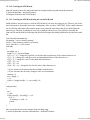
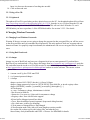
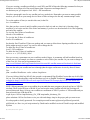
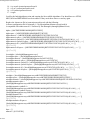
1. boot BackTrack and login as root
2. # mount /dev/hda1 /mnt/XXX
mount your Linux partition substituting hda1 for whatever your Linux partition is
3. # cd /usr/local/john
4. # unshadow /mnt/XXX/etc/passwd /mnt/XXX/etc/shadow >saltedpasswords
5. # john saltedpasswords
8 Cracking networking equipment passwords
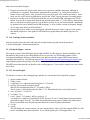
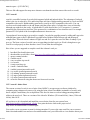
Your first step should be to try the default username and password. You can find a list over 3500 devices at
http://artofhacking.com/etc/passwd.htm.
8.1 Using BackTrack Tools
8.1.1 Using Hydra
Say you have wireless router to which you have forgotten the password. The easiest thing to do in this case is
to reset the router to factory defaults. However if you have a lot of custom settings and your backup is
nonexistent, out-dated, corrupted, or the backup restored a password which you do not remember, you can
try a brute force attack on the router. From http://freeworld.thc.org/thc-hydra/. Hydra currently supports:
TELNET, FTP, HTTP-GET, HTTP-HEAD, HTTPS-GET, HTTPS-HEAD, HTTP-PROXY, LDAP2, LADP3,
SMB, SMBNT, MS-SQL, MYSQL, POSTGRES, REXEC, RSH, RLOGIN, CVS, SNMP, SMTP-AUTH,
SOCKS5, VNC, POP3, IMAP, NNTP, PCNFS, ICQ, SAP/R3, SSH2, Teamspeak, Cisco auth, Cisco enable,
Cisco AAA (incorporated in telnet module)
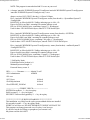
For the sake of this document I will use a Linksys WRT54GL, hardware v1.1, Linksys firmware 4.30.11 and
dd-wrt v2.4sp1. The first thing you have to do is find out if the device uses a username AND password to
login. Several devices only require a password to login into the device as admin, root, system, etc. The easiest
way to find this out is to goto the vendor's website and download installation manual which will give you this
information. For the Linksys firmware
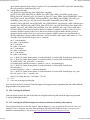
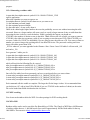
1. boot BackTrack and login as root
2. hydra -l "" -P wordlist.txt -f -v -e ns 192.168.1.1 http-get /
-l is for a username which is null in this case
-P is a wordlist of passwords to try
-f stop hydra when it finds the password
-v is for verbose
-e try no password and password the ip address of the device one of the currently supported options
192.168.1.1 is the IP of the AP
http-get is the correct option to this AP
/ is where you have to put in the username and password. In this case you have to put in the username
and password before you can do anything. You will have to figure this out for yourself as each device is
different.
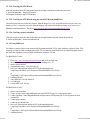
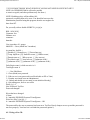
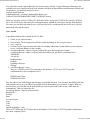
3. some other option you may need are:
-t TASKS run TASKS number of connects in parallel (default: 16)
You may have to adjust this number down as larger numbers may cause the router to crash or
misbehave. I usually use 10.
-v / -V verbose mode / show login+pass combination for each attempt
As I said earlier, http-get is the correct option for my Linksys AP (with the factory firmware). When you goto
the AP website a dialog box opens and prompts for a username and password. Each AP is different and as
2/15/2010 3:48 PM