1
Chapter 5: Discovering the NGS-D200 and Accessing the Web UI
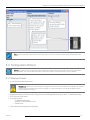
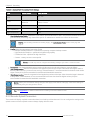
TIP: The serial number can be found on the back of the device and can be scanned using a Datamatrix code
reader.
5.3 Configuration Wizard
NOTE: You will only be required to use the configuration wizard the first time the device is used or reverted to
factory defaults. You can use the Reset button on the front panel to revert the device to factory defaults.
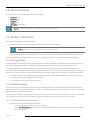
5.3.1 What you'll need
l
A new device name and password
WARNING: Make sure to document the configured device name and password. You will have to revert the
system to factory defaults if this is lost or forgotten. For more information, see "Reset the NGS-D200 to
Factory Defaults" on page 4
l
l
l
l
Management Server IP/DNS name (if using the device in Managed Mode as part of the 4.x Collaboration Suite)
NTP Server IP/DNS name
If not using DHCP:
o IP address/DNS name
o gateway IP address/DNS name
o subnet mask
The multicast streaming address (optional)
K5903085
20