1
Network Camera Server
User’s Manual
Table of Contents
Overview of FlexWATCHTM Server ............................................................ 9
1 Packing List................................................................................................ 9
2 What is FlexWATCHTM? ............................................................................... 10
2.1 Key Function of FlexWATCHTM .............................................................. 10
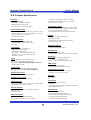
2.2 Product Specification ......................................................................... 11
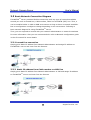
2.3 Basic Network Connection Diagram...................................................... 12
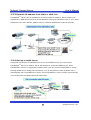
2.4 Application ....................................................................................... 14
3 Hardware Description ................................................................................ 15
3.1 Caution and observance ..................................................................... 15
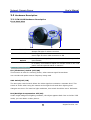
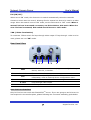
3.2 Hardware Description......................................................................... 16
1 Key Words for Network .............................................................................. 19
2 Check Points before IP assignment .............................................................. 21
2.1 IP address........................................................................................ 21
2.2 LAN cable or Cross-Over Cable ............................................................ 23
2.3 PC Environment ................................................................................ 24
3 Factory Default ......................................................................................... 25
4 IP Assignment .......................................................................................... 25
4.1 Through Installation Wizard Program ................................................... 25
4.2 IP Assignment through Hyper Terminal mode ........................................ 28
Live view & Camera Configuration......................................................... 33
1 Simple Viewer .......................................................................................... 33
1.1 ActiveX based simple view.................................................................. 33
1.2 Java Applet based live view ................................................................ 34
2
Seyeon Tech Co., Ltd