1
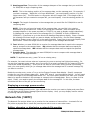
♦ Without a time separator, specify a string of 4 digits (hhmm) where hh=hours and
mm=minutes. Hours and minutes must each be exactly 2 digits (using leading zeros if
necessary).
♦ With a time separator, specify a string of 5 digits where the time separator specified for
your job is used to separate the hours, minutes, and seconds. If you enter this
command from the command line, the string must be enclosed in apostrophes. If a time
separator other than the separator specified for your job is used, this command will fail.
Element 2: Beginning date
One of the following is used to specify the beginning date on or after which the log entries were
made. Any entries prior to the specified date are not included in the display or report.
*CURRENT: Log entries with a current date creation date and between the specified beginning
and ending times (if specified) are included.
*BEGIN: Log entries from the beginning of the log entries are included.
begin-date: Specify the beginning date. The date must be specified in the job date format.
number-of-days: Specify a number to represent the number of days before the current date
that you want to use for the search. An example would be 10. If today's date were 3/12/03
(date format is mm/dd/yy), the Begin date for the ICOM/400 log would be 3/2/03.
Element 3: Ending time
One of the following is used to specify the ending time before which log entries are included. Any
items created after the specified time and date are not included in the log entries for the display or
report.
*AVAIL: Any time that is available for the ending date is included.
end-time: Specify the ending time for the specified ending date that indicates which log entries
are to be included.
Element 4: Ending date
One of the following is used to specify the ending date on which or before which the log entries
must have been made. Any log entries made after the specified date are not included in the
display or report.
Log entries whose date is on or before the current date are included in the
*CURRENT:
display or report.
*END: The log entries to the end of the log information are included in the display or report.
end-date: Specify the ending date. The date must be specified in the job date format.
number-of-days: Specify a number to represent the number of days before the current date
that you want to use for the search. An example would be 10. If today's date were 3/22/03
(date format is mm/dd/yy), the End date for the ICOM/400 log would be 3/12/03.
Severity (SEV)
ICOM/400 User Manual- 139