1
TeleCard Smart System
How to logon to the System
Action/Explanation
User Manual
Origin Date: 11/12/04
Screen Display
Simply open the browser and enter System URL in the
respective address field.
http://smart.super.net.pk/TCL/
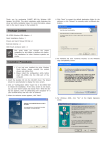
After enter the URL the given screen displayed
Enter User ID:
Enter User Id in this respective field.
Enter Password:
Enter your password in this respective field.
Click on => Sign in
Click the sign in button to enter in the system.
After Click on Sign in Button the given system
screen displayed.
Click on required option you wish to use.
TELECARD Confidential
Page 2