1
Startwrite® User’s Manual
Page 4
Using Windows Help
When you need information, online Help is your best solution. Help is convenient,
sensibly organized, and structured in a way that makes it easy to find the information
you need. It also contains more detailed information about Startwrite® than this
manual does. Help appears in a separate window on your screen that you can keep
on top of the application you're working in for quick reference and access.
If you need assistance beyond what the online Help system and this manual provide,
you can call Technical Support (see Startwrite® Support Services, chapter 4).
Using Context-Sensitive Help
Help is context sensitive, which means you can access Help wherever you are in the
program, including menus and dialog boxes.
Place the pointer on the item you want information about, then press F1.
Using Online Help
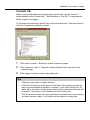
This section introduces you to the basic components of Windows online Help.
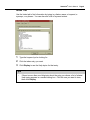
Use Contents to access the main components of Help. You can thing of it as the table
of contents of Help.
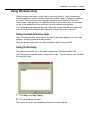
1
Click Help, then Help Topics.
2
Click the Help tab you want.
The next sections give you detailed explanations of each Help tab.