1
7-10
GMS Tutorials – Volume II
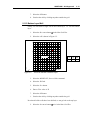
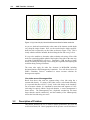
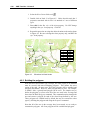
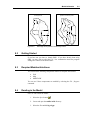
3. You may wish to experiment with some of the other playback controls.
When you are finished, close the window and return to GMS.
7.19
Modeling Sorption and Decay
The solution we have just computed can be thought of as a worst case scenario
since we have neglected sorption and decay. Sorption will retard the
movement of the plume and decay (due to biodegradation) will reduce the
concentration. For the second part of the tutorial we will modify the model so
that sorption and decay are simulated. We will then compare this solution with
the first solution.
7.19.1 Turning on the Chemical Reactions Package
Sorption and decay are simulated in the Chemical Reactions Package. We
need to turn this package on before it can be used.
1. Select the MT3D | Basic Transport Package command.
2. Select the Packages command.
3. Turn on the Chemical reaction package option.
4. Select the OK button to exit the Packages dialog.
5. Select the OK button to exit the Basic Transport Package dialog.
7.19.2 Entering the Sorption and Biodegradation Data
Next, we will enter the sorption and biodegradation data in the Chemical
Reactions Package dialog.
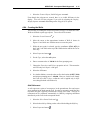
1. Select the MT3D | Chemical Reaction Package command.
2. In the Sorption section, select the Linear isotherm option.
3. In the Kinetic rate reaction section, select the First-order irreversible
kinetic reaction option.
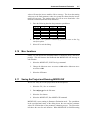
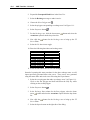
4. In the lower part of the dialog, enter the following values:
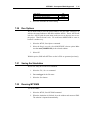
Bulk density
1st sorption constant
Rate constant, dissolved phase
Rate constant, sorbed phase
104
0.003
0.0001
0.0001
5. Switch the layer to layer 2 and enter the following values: