1
Managing Basic Operations
3.4
Editable Parameters Software
The Editable Parameters feature lets you customize some of the values that appear above
the [F1] to [F5] keys. These are the values that the EPOCH LT recalls automatically when
the corresponding [F] key is pressed. You can edit the following parameters:
•
Gain
•
Reject
•
Zero Offset
•
Angle
•
Frequency
•
Range
•
Thickness
•
Velocity
Note:
Parameters that contain text, such as Rectification, cannot be adjusted. Also,
parameters that are limited by hardware and/or software constraints such as
Damping cannot be adjusted.
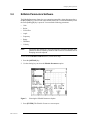
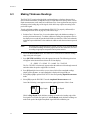
To activate the Editable Parameters menu, follow these steps:
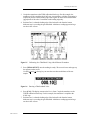
1. Press the [OPTION] key.
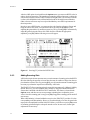
2. Use the slewing keys to select the Editable Parameters option.
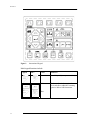
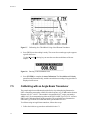
Figure 3
Selecting the Editable Parameters Option
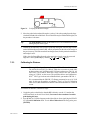
3. Press [ENTER]. The Editable Parameters screen opens:
Part # 910-258
27