1
EASIER TO SET UP, EASIER TO
INTEGRATE, EASIER TO MANAGE
New features in the QLn printer make it easier and quicker to
integrate into your existing network and printer environment,
anywhere in the world, with no changes to software or network
infrastructure needed. They help save IT time and costs – as do
easier printer management and other features.
Easier to set up
• The Zebra Setup Utility quickly configures single
printers and ZebraNet™ Bridge Enterprise enables
global centralised printer management
• Print Touch™ software simplifies Bluetooth® pairing
and launches Web-based help pages with Near
Field Communication-enabled devices
• ZebraDesigner™ Pro (for label design) and
ZebraDesigner drivers (for Windows) create efficient
and optimised output while Zebra’s Unicode™
UTF-16-compliant Global Printing Solution, with
right-to-left printing capability, enables you to print in
local languages
Easier to integrate
•ZPL™ programming language ensures full
compatibility with many other Zebra printers and
ZBI™ 2.x programming enables printers to connect
directly with legacy host systems and peripheral
devices such as scanners and scales. Backwards
compatibility with QL and QL Plus models also lets
you upgrade to the QLn printer without changing
media or label formats. It also allows mixed
networks of QL/QL Plus and QLn products,
as does the QLn printer’s inclusion of the
legacy CPCL programming language
•Integrate and use the printer in a variety of
physical environments and conditions thanks
to its durable design
•The QLn series printers offer 802.11a/b/g/n wireless
LAN capability. This provides more robust and reliable
connectivity for a greater throughput in environments
where users need to transmit larger blocks of data.
Zebra’s 802.11n solution has dual-band support (5GHz
and 2.4GHz) and is fully compatible with 802.11a
and 802.11b/g standards – you can now easily move
business operations to the less crowded 5GHz band
using Zebra’s wireless connectivity solution
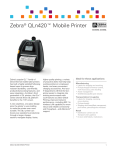
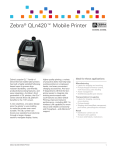
Zebra QLn420 Mobile Printer
•The Link-OS Software Development Kit (SDK) gives
developers everything needed to create custom
apps to meet specific needs. We help you save
on operating costs by providing an SDK with core
programming libraries that can be used to create
Link-OS applications. Learn more at zebra.com/linkos
•The QLn420 printer features improved
communication with leading handheld terminals.
These terminals have been tested with industryleading applications to verify interoperability and
improve overall optimisation when using the QLn420
printer with validated terminals. Zebra Independent
Software Vendor (ISV) Partners create industry-leading
software solutions to solve business problems and
Zebra works closely with these ISVs to integrate
printing and other capabilities of Zebra products.
Zebra-validated applications can be found at
zebra.com/validation
Easier to manage
•Use the Link-OS software solutions to rapidly
configure, monitor and integrate Zebra printers with
your system. Also manage specific, local printer and
battery issues remotely over a wired IP network via
a Zebra Ethernet cradle – keeping printers in service
longer and reducing “no problem found” returns. The
Ethernet cradle allows all printer configurations to
be remotely managed, including serial and Bluetooth
(which would not otherwise be possible). Profile
Manager with AirWatch Connector quickly connects
your printer with the AirWatch device-management
system via WLAN and Ethernet
•The mirror function automatically updates printer
firmware and/or configuration from a file server over
either 802.11 or Ethernet interfaces
•You can also manage QLn printers using most
popular third-party management software solutions,
and Simple Network Management Protocol (SNMP)
is fully supported
3