1
EASIER TO SET UP, EASIER TO
INTEGRATE, EASIER TO MANAGE
New features in the QLn printer make it easier and quicker to
integrate into your existing network and printer environment,
anywhere in the world, with no changes to software or network
infrastructure needed. They help save IT time and costs—as do
easier printer management and other features.
Easier to Set up
t The Zebra Setup Utility quickly configures single
printers and ZebraNet™ Bridge Enterprise enables
global centralized printer management
t Print Touch™ software simplifies Bluetooth® pairing
and launches Web-based help pages with Near
Field Communication-enabled devices
t ZebraDesigner™ Pro (for label design) and
ZebraDesigner drivers (for Windows) create efficient
and optimized output while Zebra’s Unicode™
UTF-16-compliant Global Printing Solution, with
right-to-left printing capability, enables you to print in
local languages.
Easier to integrate
t ;1-® programming language ensures full compatibility
with many other Zebra printers and ZBI 2.x™
programming enables printers to directly connect with
legacy host systems and peripheral devices such as
scanners and scales. Backwards compatibility with
QL and QL Plus models also lets you upgrade to the
QLn printer without changing media or label formats.
It also allows mixed networks of QL/QL Plus and QLn
products, as does the QLn printer’s inclusion of the
legacy CPCL programming language
t *OUFHSBUFBOEVTFUIFQSJOUFSJOBWBSJFUZPG
physical environments and conditions thanks
to its durable design
t 5IF2-OTFSJFTQSJOUFSTPGGFSBCHOXJSFMFTT
LAN capability. This provides more robust and
reliable connectivity for a greater throughput
in environments where users need to transmit
larger blocks of data. Zebra’s 802.11n solution has
dual-band support (5GHz and 2.4GHz) and is fully
compatible with 802.11a and 802.11b/g standards
oZPVDBOOPXFBTJMZNPWFCVTJOFTTPQFSBUJPOTUP
the less crowded 5GHz band using Zebra’s wireless
connectivity solution.
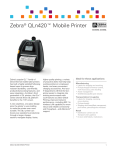
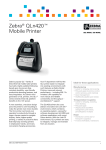
Zebra QLn420 Mobile Printer
t 5IF-JOL04Î4PGUXBSF%FWFMPQNFOU,JUDSFBUFT
printing applications for the Windows®, Apple®,
Android™, WinCE®, WinMobile® and BlackBerry®
platforms. Virtual Printers (to be released at a later
date) will provide embedded support for third-party
formatting languages.
t 5IF2-OQSJOUFSGFBUVSFTJNQSPWFEDPNNVOJDBUJPO
with leading handheld terminals. These terminals have
been tested with industry-leading applications to verify
interoperability and improve overall optimization when
using the QLn420 printer with validated terminals.
Zebra Independent Software Vendor (ISV) Partners
create industry-leading software solutions to solve
business problems and Zebra works closely with
these ISVs to integrate printing and other capabilities
of Zebra products. Zebra-validated applications can
be found at zebra.com/validation
Easier to manage
t 6TFUIF-JOL04TPGUXBSFTPMVUJPOTUPSBQJEMZ
configure, monitor and integrate Zebra printers with
your system. Also manage specific, local printer and
battery issues remotely over a wired IP network via
B;FCSB&UIFSOFU$SBEMFoLFFQJOHQSJOUFSTJOTFSWJDF
longer and reducing “no problem found” returns.
The Ethernet cradle allows all printer configurations to
be remotely managed, including serial and Bluetooth
(which would not otherwise be possible). A Profile
Manager with AirWatch Connector quickly connects
your printer with the AirWatch device-management
system via WLAN and Ethernet
t 5IFNJSSPSGVODUJPOBVUPNBUJDBMMZVQEBUFTQSJOUFS
firmware and/or configuration from a file server over
either 802.11 or Ethernet interfaces
t :PVDBOBMTPNBOBHF2-OQSJOUFSTVTJOHNPTU
popular third-party management software solutions
and Simple Network Management Protocol (SNMP)
is fully supported
3