1
SESAME WP03
Deliverable D09.03
List of Contents
Summary ........................................................................................................................................................... 2
Chapter 1: Introduction...................................................................................................................................... 3
Chapter 2: The general design of the software .................................................................................................. 3
Chapter 3: Browsing Module ............................................................................................................................ 3
Chapter 4: Window Selection Module .............................................................................................................. 4
Chapter 5: Processing Module........................................................................................................................... 5
Chapter 6: Display Module ............................................................................................................................... 8
Acknowledgements ........................................................................................................................................... 9
FIGURES ........................................................................................................................................................ 10
APPENDIX I ................................................................................................................................................. 18
J-SESAME USER MANUAL (Ver. 1.05) ..................................................................................................... 18
APPENDIX II................................................................................................................................................ 30
SESAME ASCII Format (SAF) ..................................................................................................................... 30
APPENDIX III .............................................................................................................................................. 35
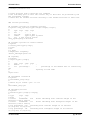
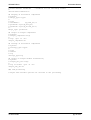
Example input file for the H/V processing ...................................................................................................... 35
List of Contributors (in alphabetical order after the last name)
Kuvvet Atakan
Pierre-Yves Bard
Bladimir Moreno
Pedro Roquette
Alberto Tento
Project coordinator:
Task A Leader:
WP03 Leader:
UiB, Bergen, Norway
LGIT, Grenoble, France
UiB, Bergen, Norway (now at CENAIS,
Santiago de Cuba, Cuba)
ICTE/UL, Lisbon, Portugal
CNR, Milano, Italy
Pierre-Yves Bard, LGIT, Grenoble, France
Kuvvet Atakan. UiB, Bergen, Norway
Kuvvet Atakan, UiB, Bergen, Norway
Contact address:
Kuvvet Atakan
Department of Earth Science, University of Bergen
Allegt.41, N-5007 Beregn, Norway
Tel: +47-55-583600
Fax: +47-55-583660
E-mail: atakan@geo.uib.no
Summary
In the following, we describe a new software solution (J-SESAME) to be used in H/V spectral ratio
technique, which was developed under the framework of the SESAME Project (Site Effects Assessment
Using Ambient Excitations, EC-RGD, Project No. EVG1-CT-2000-00026 SESAME), Task A (H/V
Technique), Work Package 03 (WP03 – H/V Technique: Data Processing). Within the framework of the
SESAME Project one of the work packages is devoted to the development of robust software for data
analysis applying the H/V technique. The main goal of the Work Package 3 (WP03) is to develop a
multiplatform processing software to be used as a standard procedure in processing the microtremor data
using H/V technique. In the J-SESAME, existing algorithms that are used in the H/V data processing are
tested and an optimum solution is applied for the computations. A user-friendly graphical interface is
implemented to allow organizing and browsing the waveform data files easily coupled with several optional
display and output functions. J-SESAME also provides default parameter settings for the different options of
the software, which makes sure that the processing is conducted applying the optimum values.
17-02-04 16:56
pg. 2 of 37