1
IES-2206F-II User Manual
Table of Content
GETTING TO KNOW YOUR SWITCH.............................................................................................. 4
1.1
About the IES-2206F-II Industrial Switch .......................................................................... 4
1.2
Software Features ............................................................................................................. 4
1.3
Hardware Features ........................................................................................................... 5
HARDWARE INSTALLATION .......................................................................................................... 6
2.1
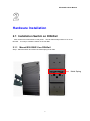
Installation Switch on DIN-Rail .......................................................................................... 6
2.1.1
2.2
Mount IES-2206F-II on DIN-Rail .................................................................................................. 6
Wall Mounting Installation ................................................................................................. 7
2.2.1
Mount IES-2206F-II on wall .......................................................................................................... 7
HARDWARE OVERVIEW .............................................................................................................. 9
3.1
Front Panel ....................................................................................................................... 9
3.2
Front Panel LEDs ............................................................................................................ 11
3.3
Bottom Panel................................................................................................................... 11
3.4
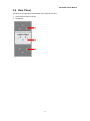
Rear Panel ...................................................................................................................... 12
CABLES .................................................................................................................................. 13
4.1
Ethernet Cables .............................................................................................................. 13
4.1.1
100BASE-TX/10BASE-T Pin Assignments ................................................................................. 13
4.2
Fibers .............................................................................................................................. 14
4.3
Console Cable ...................................................................................................................... 15
WEB MANAGEMENT ................................................................................................................ 16
5.1
Configuration by Web Browser........................................................................................ 16
5.1.1
About Web-based Management .................................................................................................... 16
5.1.2
Basic Setting ................................................................................................................................. 18
5.1.2.1
Switch setting..................................................................................................................... 18
5.1.2.2
Admin Password ................................................................................................................ 19
5.1.2.3
IP configuration ................................................................................................................. 19
5.1.2.4
SNTP Configuration .......................................................................................................... 21
5.1.2.5
DHCP Server ..................................................................................................................... 24
5.1.2.6
Backup & Restore .............................................................................................................. 26
5.1.2.7
Upgrade Firmware ............................................................................................................. 27
5.1.2.8
Auto Provision ................................................................................................................... 27
5.1.2.9
Factory Default .................................................................................................................. 28
5.1.2.10
System Reboot ................................................................................................................... 28
5.1.3
Port Configuration ........................................................................................................................ 29
1