1
2
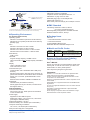
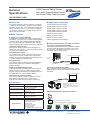
Ethernet Communication Connection
Device with
Ethernet
function
Hub
Ethernet
RS-485 communication
(up to 31 units with a maximum
length of 1200 m)
Note 1: The figure shows an example
of Ethernet Serial Gateway
Function.
Dedicated Cable
USB serial converter is embeded
Compliant with the USB Specification Rev. 1.1
USB Series “A” plug on the PC side
Dedicated plug (5-pin) on the adapter side
Cable length: About 2.7 m
Note: D
irectly insert the USB plug into a USB port on the PC.
Note 1
nEMC Standard
An Ethernet connection is also possible using controllers with an RS-485 communication
function and an Ethernet/RS-485 converter (Yokogawa VJET is recommended).
nOperating Environment
PC (System Requirements)
Operating system
Windows 7 Professional (32-bit and 64-bit versions)
Windows 8.1 Pro Update (32-bit and 64-bit versions)
(Desktop type)
CPU
Pentium 4 Processor 3.0 GHz or faster
Pentium D Processor 2.6 GHz or faster
Pentium Core 2 Duo Processor 1.8 GHz or faster
Pentium Dual-Core Processor 1.6 GHz or faster
Main Memory
2 GB or more
Hard Disk
Program storage capacity: 100 MB or more
.NET Framework 4.0 SP1 storage capacity: 620 MB or
more
Display
1024 x 768 pixels or more
Color: 256 colors or more
Communication port
Communication with a dedicated cable: USB port (1
channel)
RS-485 communication: RS-232C port(1 channel). To
perform RS-422/485 communication with a connected
device, use a converter. (YOKOGAWA ML2 recommended)
Ethernet communication: 10BASE-T/100BASE-TX.
Peripherals
CD-ROM drive (to install the software.)
Printer (paper size for print: A4-size, or letter-size on
the English version.)
Dedicated Adapter
Communication method:
Non-contact, two-way, serial optical communication
on the controller side
Power supply:
Supplied from the USB bus power
Rated input voltage: 4.75 to 5.25 V DC, 100 mA DC
(including the dedicated cable)
Ambient temperature: 0 to 50°C
Ambient humidity: 20 to 90%RH (No condensation)
Transport and storage conditions:
-20 to 70°C, 5 to 90%RH (No condensation)
Dust-proof and drip-proof: Unsupported
All Rights Reserved. Copyright © 2009-2015, Yokogawa Electric Corporation
Subject to change without notice.
CE marking: EN61326-1 Class A, Table 2
(For use in industrial locations)
EMC Regulatory Arrangement in Australia and New
Zealand: EN55011 Class A, Group 1
nPackage Items
CDs: Two
LL50A software/USB conversion driver
LL50A User’s Manual
LL50A Installation Manual: One
Dedicated cable and dedicated adapter: One
nModel and Suffix Codes
Model
Suffix code
Description
LL50A
-00
Parameter Setting Software with
Ladder Program Building Function
n
Items to Specify when Ordering
Clearly state the model and suffix code.
User’s Manual
Product user’s manuals can be downloaded or viewed at the
following URL. To view the user’s manual, you need to use
Adobe Reader 7 or later by Adobe Systems.
URL: http://www.yokogawa.co.jp/ns/ut/im/
Trademarks
Windows 7 / 8.1 and .NET Framework are registered trademarks of Microsoft Corporation in the United States.
Pentium and Core 2 Duo are registered trademarks of Intel
Corporation in the United States.
Ethernet is a registered trademark of Xerox Corporation in the
United States.
PROFIBUS-DP is a registered trademark of PROFIBUS User
Organization.
CC-Link is a registered trademark of CC-Link Partner Association (CLPA.)
DeviceNet is a registered trademark of Open DeviceNet
Vender Association, Inc.
Other company and product names are trademarks or registered trade marks of their respective holders.
GS 05P05A01-01EN Mar.31, 2015-00