1
1.2 System Requirements
AMTS.Cattle™.Pro requires Windows 98 SE or later and the Microsoft .net Framework 3.5 or
later installed. During setup, your system will be checked to determine if any additional files are
required. If .NET framework 3.5 is NOT installed, you will be prompted and be taken to a Microsoft download site for this. Installation of .NET on computers running Microsoft Vista has
been problematic. Windows 7 computers using a 64 bit processor has two different versions of
the .NET Framework. AMTS programs require that the full .NET Framework be installed. To install the .NET Framework 4 (for both x86 and x64 systems) follow this link:
http://go.microsoft.com/fwlink/?LinkId=181013
Contact Microsoft if you encounter errors associated with .NET.
1.3 Install AMTS.Pro
You can download .Pro from the AMTS website
http://agmodelsystems.com/sw_updates/AMTS.Cattle.Professional%20v.%203.2%20Setup.exe
Choose “Run” (or)
“Save” the file to your desktop and double click on the AMTS.Cattle™.Pro.exe file.
Follow the prompts throughout installation.
1.4 Installing the Non-linear Optimizer
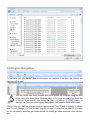
When finished downloading the program, download the non-linear optimizer: in the
Agmodelsystems.com web page, click on Optimizer Full Version
o Choose Run.
o Follow prompts.
o Enter your name and company.
o Contact Caroline@agmodelsystems.com for a serial number and key code for the
advanced optimizer.
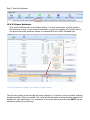
1.5 Program Registration
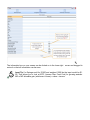
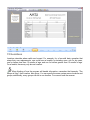
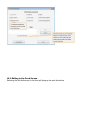
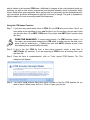
When you start the program, click on “Continue without
Activation”. You have 30 days to use the program prior
to activation. If after 30 days, you wish to purchase
.Pro (or you fail to register .Cattle™.Pro within 30
days), contact AMTS (caroline@agmodelsystems.com)
and we can get you up and running again.
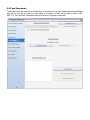
steps:
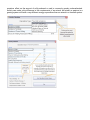
At the time of purchase, select Fill Out Activation Form
button, complete the form, copy it to the clipboard and
paste the contents into an email to caroline@agmodelsystems.com. If you do not see a button
taking you to the registration screen, follow these
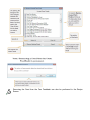
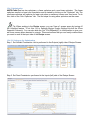
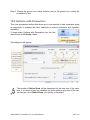
Step 1. Choose Help in the pull down screen.
Step 2. About AMTS.Cattle. Professional
Step 3. Click on button View License Details