1
Gesa
CUSSoftware Administrator and Operator Manual
issue 1 revision 0· 12/09/2001
e23ol91
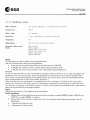
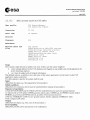
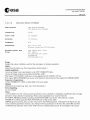
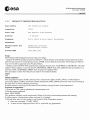
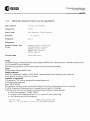
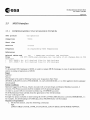
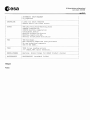
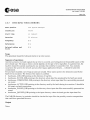
2.1.4
DMOP INGESTION
User profile
CUS Mission Planner
Connection
VT200 or Workstation
Start time
on request
Duration
1 hour (depending on no. of orbits)
Frequency
Daily
References
Related tables and
files
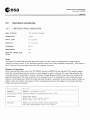
SCOPE
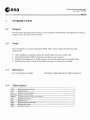
Ensure reception and correct processing of the various DMOP types:
-"unsolicited" DMOP (received before the corresponding PEP is sent and mainly containing data on orbits
blocked for
manoeuvres and/or activities directly scheduled by MMCC) -DMOP (nominally one week of data in
response to PEP) -DMOP/OIP (nominally for the coning 3 days, consolidating the
plan and providing more precise timing)
-Restituted DMOP (orbits where execution deviated from
planning: single orbits, at most one week after operations)
INPUT
INITIAL CONDITIONS
SEQUENCE OF OPERA TI ONS
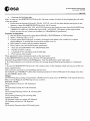
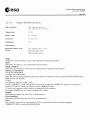
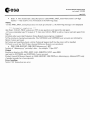
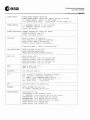
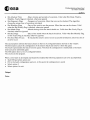
1)-From the CUS Operations Planner Menu choose:
Monitoring
Monitor External Events
2)-Note down in the Notes of the Operations Planner Form the
name of the input DMOP file(s) together with the reception date and time
3)-For each of the received DMOP file perform the following steps:
a)-From the Monitoring Menu choose: Monitor Unusual Events
b)-Note down in the Notes of the Operations Planner Form the Unusual Event (if any) and take the
appropriate corrective action
c)-From the Monitoring Menu choose: Monitor Blocked States
d)-Note down in the Notes of the Operations Planner Form the Blocked State (if any) and take the
appropriate corrective action
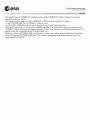
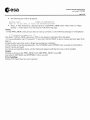
e)-Verify in the CUS Log file the completion of the DMOP processing
f)-Note down in the Notes of the Operations Planner Form the DMOP processing completion together with
the time
4)-Enter in the Operations Planner Form the End Time and the Completion Flag
OUTPUT