1
Install Apache Accumulo using Cloudera Manager
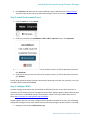
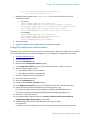
3. Click Continue and follow the rest of the installation steps as described in the documentation.
Accumulo requires that you set up HDFS and Zookeeper. Other services are optional.
Step 2: Install the Accumulo Parcel
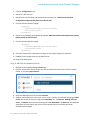
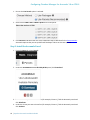
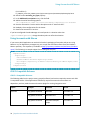
1. From the Hosts tab, select Parcels.
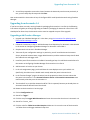
2. Under the parcel entry for ACCUMULO 1.6.0-1.cdh5.1.4.p0.116 or later, click Download.
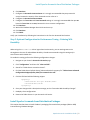
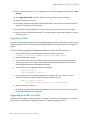
3. Under the cluster you want to install on (for example, Cluster 1), find the Accumulo parcel and
click Distribute.
4. Under the cluster you want to install on (for example, Cluster 1), find the Accumulo parcel and
click Activate.
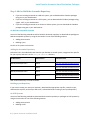
You will be prompted to restart the cluster. Because the Accumulo parcel was not previously in use, you
can safely skip this step and click Close.
Step 3: Configure HDFS
Cloudera strongly recommends that you establish an HDFS Name Service on the cluster that will run
Accumulo. Due to the way Accumulo manages files within HDFS, doing so greatly reduces administrative
tasks in the future if a NameNode needs to be replaced or moved. To set up an HDFS Name Service,
follow the instructions for enabling HDFS High Availability.
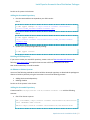
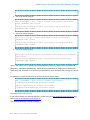
To guard against data loss, you must configure HDFS to durably write data on file close. If the following
configuration changes are not made, Accumulo issues warning messages until the problem is corrected.
1. Navigate to your cluster's HDFS service page.
Apache Accumulo Installation Guide | 3