1
•
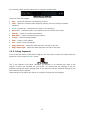
Advanced - opens the advanced controls for the effect.
As well as these controls, all of the effects have two parameters that you can edit. These alter
the sound of the effect in some way:
•
•
•
•
•
Distortion
◦
Drive - controls the overdrive amount.
◦
Damp - controls a lowpass filter that can be used to soften the harsh overtones
produceed by the distortion.
LoFi
◦
Bits - controls the bit-depth of the output. A lower bit-depth means more digital
distortion.
◦
S. Rate - controls the sample rate of the output. Lowering the sample rate will produce
aliasing - a digital artefact that is usually undesired, but can also be used creatively.
Filter
◦
Cutoff - controls the cutoff frequency of the filter.
◦
Reso. - controls the resonant peak at the cutoff frequency.
Panner
◦
Width - controls the stereo width (how far a sound can be positioned in the panoramic
field).
◦
Pan - controls the stereo position of the sound.
Delay
◦
Feedback - controls how much of the delayed signal is fed back into the effect's input.
In other words, this controls the strength of the repeating echoes.
◦
Width. - controls the frequency (rate) of the LFO.
14