1
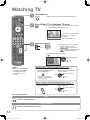
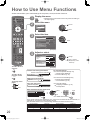
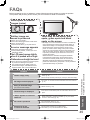
VIERA Tools
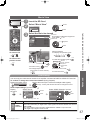
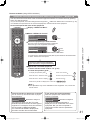
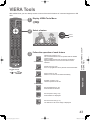
With VIERA Tools, you can directly access to some of the useful functions of connected equipment or SD
card.
POWER
INPUT
TV
AV
OFF TIMER
ASPECT MENU
1
Display VIERA Tools Menu
2
Select a feature
EXIT
R
TEXT
G
Y
select
B
access
STTL INDEX HOLD
MUTE
SURROUND
PROGRAMME
POWER
3
Follow the operation of each feature
REC
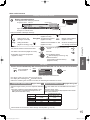
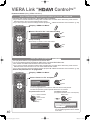
VIERA Link Control
VIERA Link Control (p. 41)
The connected device can be operated with the VIERA
remote control.
When multiple devices are connected, an indicator
appears below the icon so that one device can be
selected.
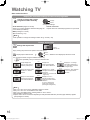
Pause Live TV (p. 40)
A live TV programme can be paused and resumed later.
To return to TV
EXIT
Pause Live TV
or
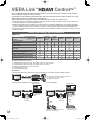
VIERA Link “HDAVI ControlTM”
VIERA Tools
RETURN
OPTION
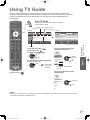
Direct TV Rec (p. 40)
What is on TV can be recorded immediately.
Speaker Control (p. 42)
Theatre speaker can be set.
Speaker Selection
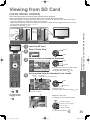
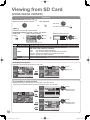
SD card slideshow (p. 36)
Photo slideshow will start.
Advanced
Direct TV Rec
Slideshow
SD card photo view (p. 35)
Photo folders are displayed.
Photos
SD card movie view (p. 37)
The title list for SD movie image is displayed.
Movies
43
th_l42s10a_Eng_4gc0331.indb 43
2009/07/24 10:24:37