1
The TOPSPIN Interface
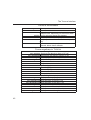
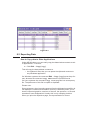
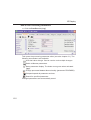
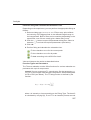
Focus in the Browser
UpArrow Select previous dataset
DownArrow Select next datasetINDEX
Enter dir/user/name/expno
selected: expand node or
DONE
INDEX
collapse node, depending on the current state
Enter procno selected: display this dataset
Ctrl+Enter name/expno selected: display this dataset
Enter multiple procnos selected: show in multiple display
Delete one or more name/expno/procno nodes
selected: delete these datasets
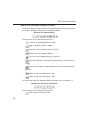
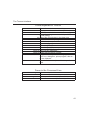
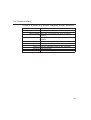
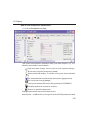
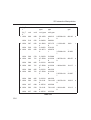
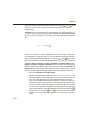
Focus anywhere in TOPSPIN
Alt+PageUp
Alt+PageDown
Ctrl+Alt+PageUp
Ctrl+Alt+PageDown
Alt+Enter
Ctrl+Alt+Enter
Alt+Plus
Alt+Minus
Ctrl+Alt+Plus
Ctrl+Alt+Minus
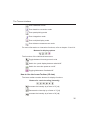
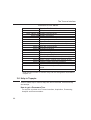
Alt+UpArrow
Alt+DownArrow
Alt+LeftArrow
Alt+RightArrow
Ctrl+Alt+UpArrow
Ctrl+Alt+DownArrow
Ctrl+Alt+LeftArrow
Ctrl+Alt+RightArrow
42
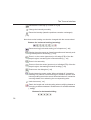
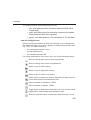
Scaling Data
Scale up the data by a factor of 2 [*2]
Scale down the data by a factor 2 [/2]
Scale up by a factor of 2, in all data windows
Scale down by a factor of 2, in all data windows
Perform a vertical reset
Perform a vertical reset in all data windows
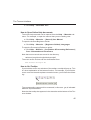
Zooming data
Zoom in [.zi]
Zoom out [.zo]
Zoom in, in all data windows
Zoom out, in all data windows
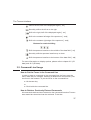
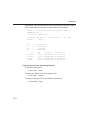
Shifting Data
Shift spectrum up [.su]
Shift spectrum down [.sd]
Shift spectrum to the left [.sl]
Shift spectrum to the right [.sr]
Shift spectrum up, in all data windows
Shift spectrum down, in all data windows
Shift spectrum to the left, in all data windows
Shift spectrum to the right, in all data windows