1
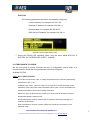
Net 1 : PROXY SIP OK.
(Press the encoder button “SEL” to modify the parameters this logical interface’s
parameters):
MODE: PROXY SIP. If this is not the set mode, press the encoder button to change it to
MODE: PROXY SIP.
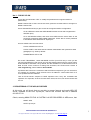
Press ADVANCED soft key to gain access to the logical interface configuration:
Go to USER and check that USER NAME matches a user that is registered in
AEQ SIP proxy.
Go to AUTHENTICATION, and check that USER has the same value as the
previously mentioned USER NAME parameter. Check that a correct password
is introduced and that REALM is “sip.aeq.es”.
Access AUDIO menu and check that:
LOCAL INTERFACE is ETH1
LOCAL PORT is the same that the network administrator has opened for audio
(paragraph 1.6), 5004 by default.
SYMMETRICAL RTP is ON
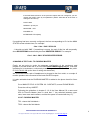
Go to NAT TRAVERSAL, check that MODE: AUTO3 (or AUTO4 only in case you are
not using the AEQ Proxy SIP server and you find problems with AUTO3). In both cases,
STUN should be activated. It is by default, and the IP address of a valid STUN server is
filled as well. At the moment of writing this document, the STUN server chosen is
stun.voxgratia.org, with IP address 83.103.82.85.
If problems are found in the connection and the STUN is suspicious (you can check this,
for example, by sending a Ping request to this IP address*) contact AEQ SAT for a
more updated STUP IP address.
*Not all STUN servers respond to PING requests even if they are reachable and
operative. If it responds, we know for sure that it works, but if not, we cannot ensure that
it is not.
3. REGISTERING AT THE AEQ SIP SERVER
At this point, we will check that we are able to access Internet and reach AEQ SIP
server, available at the host ”sip.aeq.es”, that at this moment has the IP address
82.165.157.20.
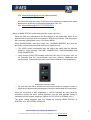
Check, entering MAIN STATUS
SYSTEM
9 SIP PROVIDERS
AEQ menu, that
NAME: AEQ
HOST: sip.aeq.es
APLICACIONES ELECTRONICAS QUASAR S.A.
TEL: (34) 91 686 13 00 - FAX: (34) 91 686 44 92 - E-mail: aeqsales@aeq.es - Web:
3
www.aeq.eu