1
DHCP ON
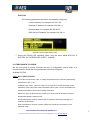
The following parameters should be automatically configured:
Local IP address, for example 192.168.1.22
Gateway IP address, for example 192.168.1.1
Network Mask, for example 255.255.255.0
DNS Server IP address, for example 192.168.1.1
Ethernet 1 port configuration screen
•
Select the PROXY SIP operating mode, from the menu MAIN STATUS
SYSTEM
5. INTERFACES
NET 1
MODE
2. OTHER POINTS TO CHECK
We are now going to quickly overview the rest of configuration menus where it is
recommended to check that every parameter is correctly configured.
At MAIN STATUS…
Chn1: Net 1 ONLY G722 OK
(Press the encoder button “SEL” to modify the parameters this channel’s parameters):
INTERFACE: Net 1 ( IP)
CODING( List) : ONLY_G722 for a start, we can test other modes with better quality
afterwards. If the coding lists need to be edited, select option 10 from SYSTEM menu.
AUDIO IN SOURCE: ANALOG for analog XLR inputs.
BACK UP: Set it up afterwards only if backup on other physical interface is needed.
RX BUFFER MODE: ADAPTATIVE
RX BUFFER (MAX): 1000 (in milliseconds. It should be reduced dynamically if no
dropouts are detected)
Rest of parameters: set them up after reading the manual and according to each
particular need.
APLICACIONES ELECTRONICAS QUASAR S.A.
TEL: (34) 91 686 13 00 - FAX: (34) 91 686 44 92 - E-mail: aeqsales@aeq.es - Web:
2
www.aeq.eu