1
Features and Design
This Multimedia Projector is designed with the most advanced technology for portability, durability, and ease of use.
This projector utilizes built-in multimedia features, a palette of 16.77 million colors, and matrix liquid crystal display
(LCD) technology.
◆
Compact Design
◆
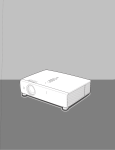
This projector is designed compact in size and weight.
It is easy to carry and installed anywhere you wish to
use.
◆
Simple Computer System Setting
The projector has the Multi-scan system to conform to
almost all computer output signals quickly (p.30). Up to
UXGA resolution can be accepted.
◆
The Logo function allows you to customize the screen
logo (pp.47-48). You can capture an image for the
screen logo and use it for the starting-up display or
between presentations.
Compatibility
The projector widely accepts various video and
computer input signals including; Computers, 6 Color
systems (PAL, SECAM, NTSC, NTSC4.43, PAL-M,
PAL-N), Component video, S-video and RGB scart.
◆
◆
◆
◆
◆
LAN Network Function
This projector is loaded with the Wired and Wireless
LAN network function. You can project an image on a
computer as well as operate and manage the projector
via network. For details, refer to the owner’s manual
“Network Set-up and Operation.”
Lamp Control
Brightness of the projection lamp can be selected
(p.51).
Helpful Maintenance Functions
Lamp and filter maintenance functions provide for
better and proper maintenance of the projector.
The Power management function reduces power
consumption and maintains the lamp life (p.50).
◆
Security Function
The Security function helps you to ensure security of
the projector. With the Key lock function, you can lock
the operation on the top control or remote control
(p.52). PIN code lock functions prevents unauthorized
use of the projector (pp.21, 52–53).
- Blackboards* can be used as a projection screen.
*The board color is limited to Green (pp.34, 41).
Power Management
Multilanguage Menu Display
Operation menu is available in 16 languages; English,
German, French, Italian, Spanish, Portuguese, Dutch,
Swedish, Finnish, Polish, Hungarian, Romanian,
Russian, Chinese, Korean, and Japanese (p.45).
Useful Functions for Presentations
- The digital zoom function allows you to focus on the
crucial information during a presentation (p.37).
◆
Logo Function
◆
Memory Viewer Function (Optional Function)
Insert the dedicated USB memory (optionally supplied:
POA-USB02) into the projector to project images or
presentation data stored within. You do not have to
carry computers or other equipment for a presentation
*For details, refer to the owner’s manual provided with
optionally supplied USB memory.
✔Notes:
•The On-Screen Menu and figures in this manual may differ slightly from the product.
•The contents of this manual are subject to change without notice.
2