1
Creating and Downloading User-Data Files
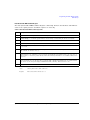
Pattern RAM (PRAM) Data Downloads (E4438C and E8267D)
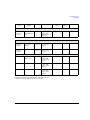
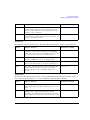
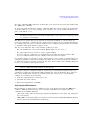
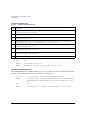
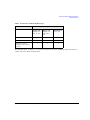
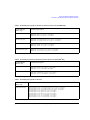
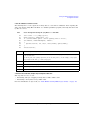
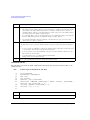
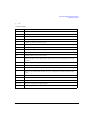
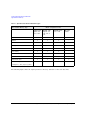
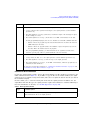
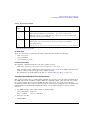
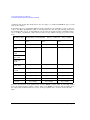
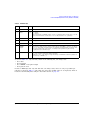
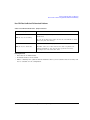
Table 8-10 Downloading a File for Extraction
Download Method/
Memory Type
Command Syntax Options
SCPI/non- volatile
memory
:MEM:DATA:UNPRotected "NVWFM:file_name",<blockdata>
:MEM:DATA:UNPRotected "file_name@NVWFM",<blockdata>
:MEM:DATA:UNPRotected "/user/waveform/file_name",<blockdata>
FTP/volatile memorya
put <file_name> /user/bbg1/waveform/file_name
FTP/non- volatile
put <file_name> /user/waveform/file_name
memorya
a. See “FTP Procedures” on page 303.
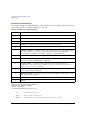
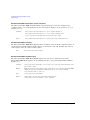
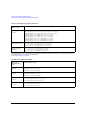
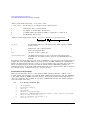
There are two commands that download a file for no extraction:
• :MEM:DATA <"file_name">,<blockdata>
• :MMEM:DATA <"filename">,<blockdata>
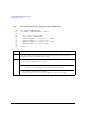
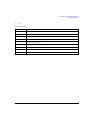
The following table uses the first command to illustrate the command format, however the format is
the same if you use the second command.
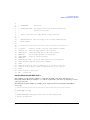
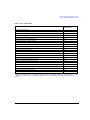
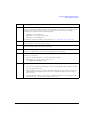
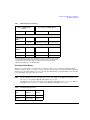
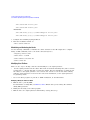
Table 8-11 Downloading a File for No Extraction
Download Method/
Memory Type
Command Syntax Options
SCPI/volatile memory
:MEM:DATA "WFM1:file_name",<blockdata>
:MEM:DATA "file_name@WFM1",<blockdata>
:MMEM:DATA "user/bbg1/waveform/file_name",<blockdata>
SCPI/non- volatile memory
:MEM:DATA "NVWFM:file_name",<blockdata>
:MEM:DATA "file_name@NVWFM",<blockdata>
:MEM:DATA /user/waveform/file_name",<blockdata>
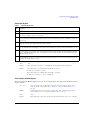
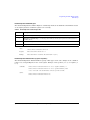
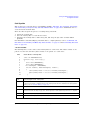
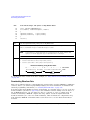
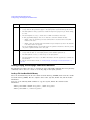
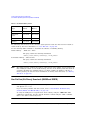
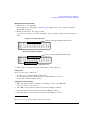
Modifying PRAM Files
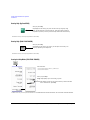
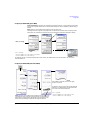
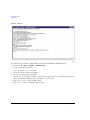
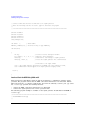
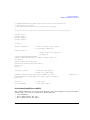
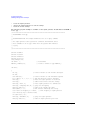
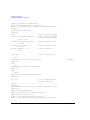
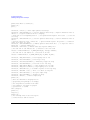
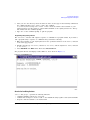
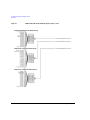
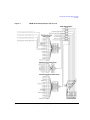
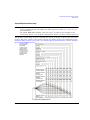
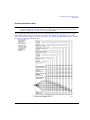
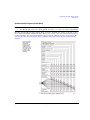
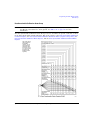
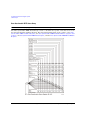
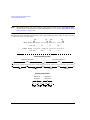
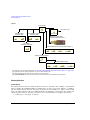
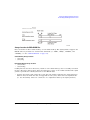
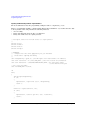
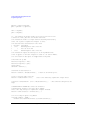
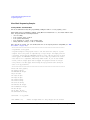
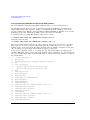
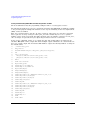
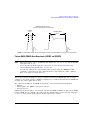
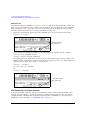
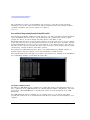
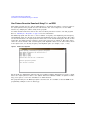
The only way to change PRAM file data is to modify the original file on a computer and download it
again. The signal generator does not support viewing and editing PRAM file contents. Because the
signal generator translates the data bit into a 32- bit word, the file contents are not recognizable, and
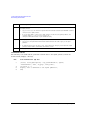
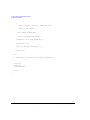
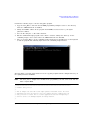
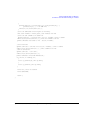
therefore not editable using a hex editor program, as shown in the following figure.
Agilent N518xA, E8663B, E44x8C, and E82x7D Signal Generators Programming Guide
321