1
Contents
Contents
1.
Introduction to the user's manual
3
1.1 - Objectives and general use of Alize-LCPC Routes
1.2 - Reference documents
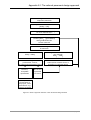
1.3 - General architecture
1.4 - Required computing configuration, protection against hacking
3
4
4
5
2.
7
Installation of the Alize-LCPC Routes software
2.1 - Automatic installation using the Autorun procedure
2.2 - Manual installation
2.3 - Comments
7
7
7
3.
9
Launching the program
3.1 - Application startup
3.2 - Alize-LCPC configuration
3.3 - The files generated by the software
3.4 - To move from one data window to another
3.5 - Important remark: Clickable boxes to access pull-down menus
9
9
11
11
11
4.
13
Data preparation: The pavement structure
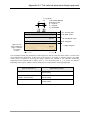
4.1 - Principle of pavement structure modeling
4.2 - Creating and modifying the Structure data
4.3 – Some complementary information about data input steps
4.4 - Consulting and importation of the Catalogue 1998 forms
4.5 - Data file recording and re-loading
13
13
15
17
17
5.
19
Data preparation: The applied loads
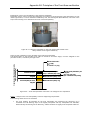
5.1 - Definition of the reference load
5.2 - Definition of special loads
5.3 - Special pseudo-rectangular loads
5.4 - Navigating between the Structure window and Special load window
19
20
22
22
6.
25
Performing computation
6.1 - The two computation modes
6.2 - Commands for launching computation
6.3 - Execution of computation in the Grid-seca mode
ALIZE-LCPC Routes - User manual version 1.3
25
25
27
page 1