1
Developi ng t he schedule off-l ine
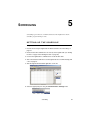
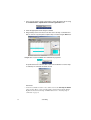
Schedules can be saved to a diskette or hard drive, and developed at a later time,
without the need to be connected to the LightCorder. Connection to the LightCorder
is only necessary to upload a list of the shows and to download schedules.
Schedule files have an .lcs suffix.
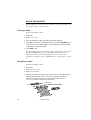
RUNNING THE SCHEDULE
In Scheduler mode the LightCorder will only play shows according to its schedule.
To start Scheduler mode:
1 From the Options menu in Advanced mode, select Change System
Mode.
2 Select Go Scheduler.
3 Select Yes to confirm. The LightCorder will display the current date and time,
and the name of any presently running show.
Note that during playback of a show that the assignable faders can be used to adjust
the intensity of fixtures. For information on configuring the faders to do this see
“Advanced mode” on page 11.
32
Scheduling