1
248
Tussman Program Release 10
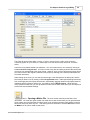
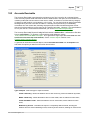
date assigned to that transaction is the same as the posting date you used when you generated the
bill. Many of your reports (for example, the Billing Analysis report) summarize the total amount that you
have billed during a specific period. These reports compile the billed totals from the billing records
created when finalizing, rather than by adding up the individual fee and cost charges. Thus, for
purposes of these reports charges billed on a particular bill will show as having been billed during the
period which includes the posting date used for that bill, even though the individual charges
themselves might have been dated during a prior period.
It is thus suggested that for the posting date you use the same date as the ending cutoff date. For
example, if you are generating December bills, which include all the charges incurred during the month
of December, with an ending cutoff date of December 31, you should also use December 31 as the
posting date. That way, your reports showing the amounts billed in December will correlate with the
reports showing the amount of fee and cost charges recorded during the month. Otherwise, if you
used a January posting date, for example, the fee and cost charges which you recorded in December
would not show as having been billed until January.
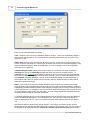
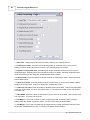
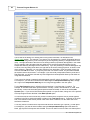
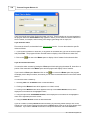
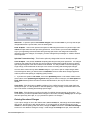
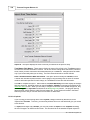
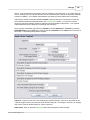
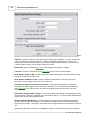
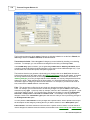
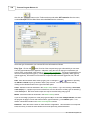
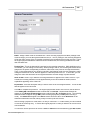
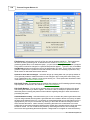
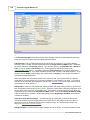
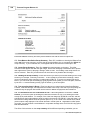
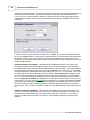
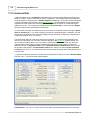
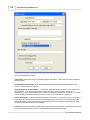
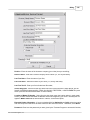
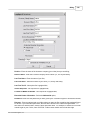
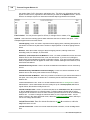
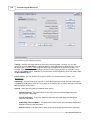
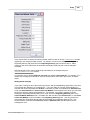
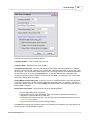
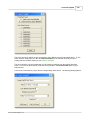
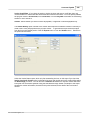
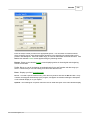
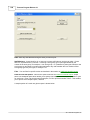
Statement Date - The statement date is the date which is printed in the heading of a bill, much the
same as you would date a letter or other correspondence. For example, if you are generating your
December bills, but are not actually printing or sending them until January 10, you might want to use
January 10 as the statement date. Items 16 and 17 of the bill format options determine if and where
the statement date are printed in the heading of your bills.
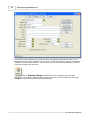
Beginning Cutoff Date - The beginning cutoff date should normally be left blank (i.e., enter
00/00/0000). It is not necessary to specify a beginning cutoff date since charges that were billed on
previous bills will not appear on a new bill as long as the previous bill was finalized. If you have not
finalized the previous bill, and use the beginning cutoff date so that charges from the prior month do
not appear on your new bill, then the balance forward on the new bill will be incorrect as it will not
reflect the prior charges. Thus, you should not use the beginning cutoff date as a way to avoid
finalizing your bills. The only case in which a beginning cutoff date is appropriate is if, for example,
you have entered charges for several months and only want to bill the more recent charges, leaving the
older charges in the unbilled charges file for future billing. For example, if you only want to bill charges
for October, leaving September charges unbilled, enter October 1 as the beginning cutoff date.
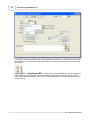
Ending Cutoff Date - Enter the date that you want to bill through. For example, if you want all charges
for the month of December to appear on this bill, enter December 31 as the ending cutoff date. Any
charges dated after that date will not be affected and will be saved for the next billing. Thus, as long as
you use a correct cutoff date when generating your bills, you can begin entering new charges for the
following billing period even though your bills for the prior period have not yet been generated or
finalized. You can have the program show the ending cutoff date in the heading of your bills, as
described in the explanation for bill format item 23. This ending cutoff date applies primarily to fee
charges; you can enter a separate cutoff date for costs and payments, as described below, although
the following dates all default to this ending cutoff date when you change it.
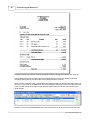
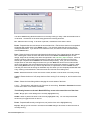
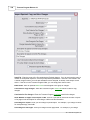
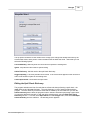
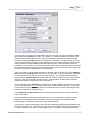
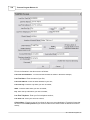
Date for Auto Payments - This is the date the program assigns to the AR transaction records (types
RD and P) created by the program when funds are automatically applied from the retainer account
against charges on a bill. It defaults to the ending cutoff date.
Cutoff Date for Costs - You can enter a separate cutoff date which applies only to cost charges. For
example, if you want to bill fees dated through the end of the prior month, but want to bill all costs
through the current date, enter the current date as the cutoff date for costs. Otherwise, this date
defaults to the ending cutoff date described above.
Cutoff Date for Payments - This cutoff date applies not only to payments but also to retainer and trust
account activity, and all other AR transactions (such as debits and credits) that appear in the payments
and credits section on the bill. This date defaults to the ending cutoff date described above, but you
can enter a separate date if, for example, you are billing charges through the end of the previous
month but want the bill to reflect all payments received through the current date.
2011 Tussman Programs, Inc.